Members
Members are the people who can sign in to your organisation. Invite colleagues by e-mail, give each a role, resend an invitation that got lost, and remove people who leave.
Before you start
- Inviting, changing roles and removing need the Administrator role. Everyone can see the member list.
- Have ready: each colleague's work e-mail address and the role they need. See Roles explained.
- Time needed: about a minute per person.
The member list
Open Administration → Organisation → Members.
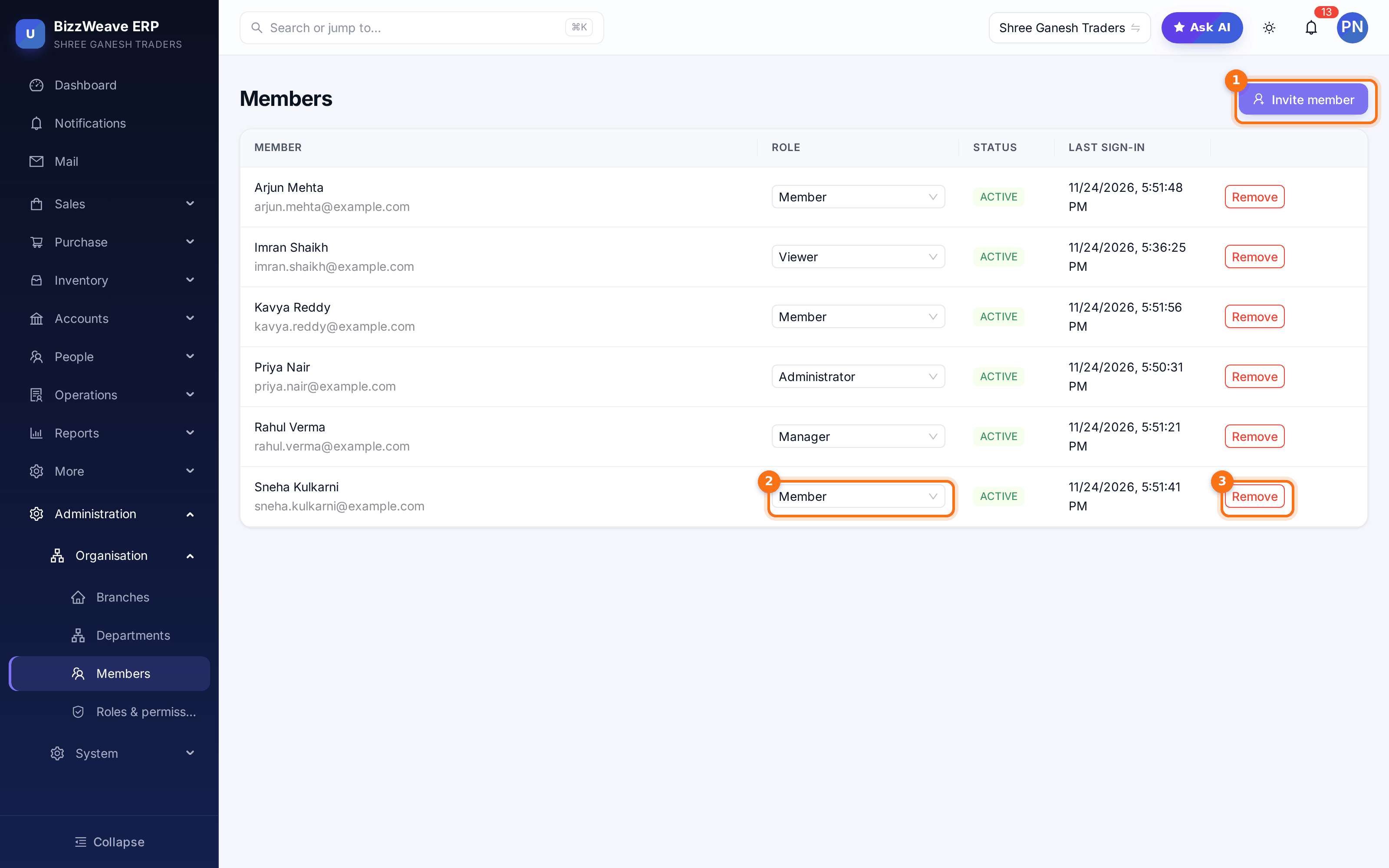
| Column | Meaning |
|---|---|
| Member | Name and e-mail address. A dash means the person hasn't signed in yet. |
| Role | The person's role. Administrators can change it here. |
| Status | ACTIVE (has signed in) or INVITED (invitation sent, not accepted yet). |
| Last sign-in | When the person last signed in. |
Invite a member
- Click Invite member.
-
Enter the person's Email and choose a Role. Member is selected by default.

Inviting [email protected] as a Member. -
Click OK.
What happens next
A message tells you what happened:
- Invitation email sent: the person gets an e-mail with a link to set a password and sign in. They appear as INVITED until they do.
- They already have an account and can sign in now: the person already uses BizzWeave ERP (for example in another company). Next time they sign in, your organisation appears in their organisation list.
- Member added, but the email failed: use Resend later.
Every invitation is recorded in the audit trail.
Resend an invitation
If someone can't find the invitation, click Resend on their row. The button appears only while the status is INVITED. The person should also check their spam folder.
Change someone's role
In the Role column, pick another role from the list. It saves straight away and a message says Role updated.

The person gets the new rights the next time a page loads.
Remove a member
- Click Remove on the person's row.
- Confirm Remove this member? Their data stays.
The person can no longer open your organisation. Everything they created (invoices, tasks, comments) stays, with their name on it.
Rules that protect you
- An organisation must keep at least one active Administrator. You can't remove the last one or change their role.
- Only an Administrator can give or take away the Administrator role.
- You can't give a role with permissions you don't hold yourself.
- You can't invite someone who is already a member or already invited.
Common questions
The person says the invitation link has expired.
Click Resend to send a fresh invitation.
Someone joined with a personal e-mail by mistake.
Remove that membership and invite their work e-mail address instead.
How do I limit a member to one shop or depot?
Use Branches → Member access. See Branches.