Stock levels, reorder and transfers
See how much of each item you have in each warehouse and what it is worth, find items that need reordering, trace every movement in the stock ledger and move stock between warehouses.
Before you start
- Where: Inventory → Stock.
- Everyone can see stock quantities. Administrators and managers can transfer stock.
- Stock is kept only for goods with Track stock ticked under Items & services.
Stock levels
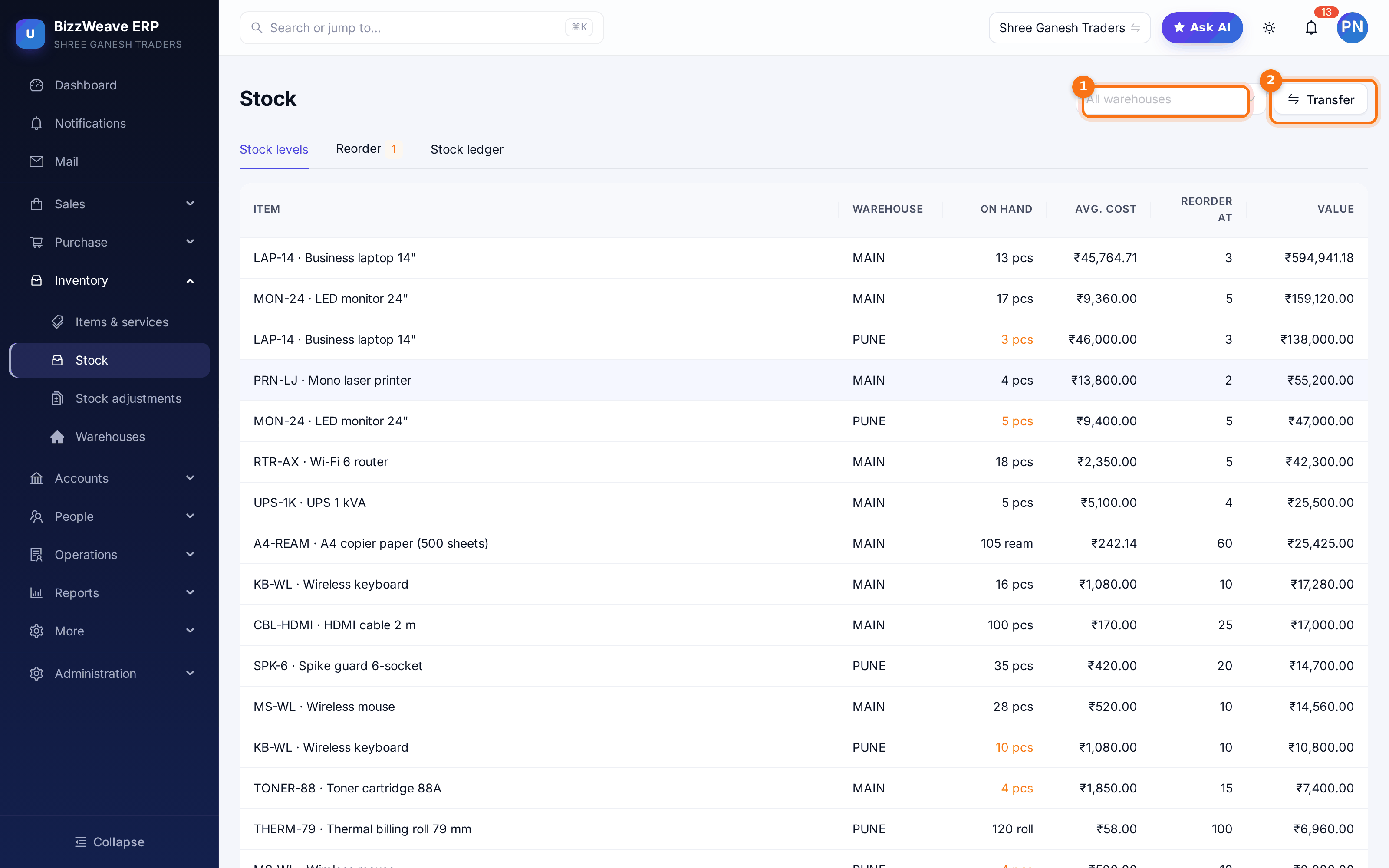
Each row is one item in one warehouse: On hand, Avg. cost (average cost), Reorder at and Value (on hand × average cost). The total value is at the bottom. A quantity shows in orange when it is at or below the item's reorder level.
How stock is valued
BizzWeave ERP uses the weighted average cost. Each goods receipt updates the item's average cost, and deliveries and write-offs leave at that average.
Reorder
The Reorder tab (with the number of items in orange) lists items whose total stock across all warehouses is at or below their reorder level.
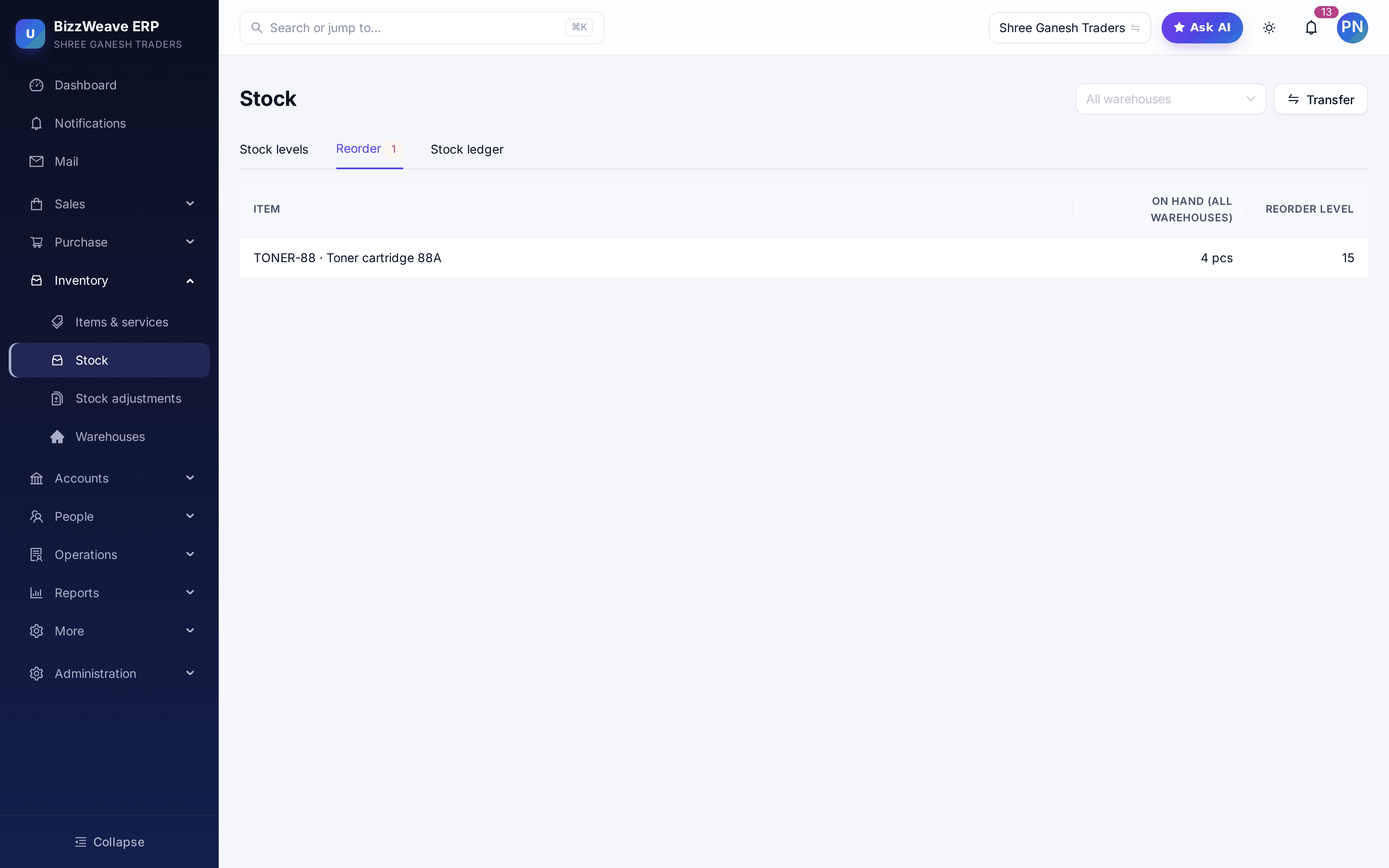
Create a purchase order for these items. The Business overview also suggests order quantities under Stock-out prediction.
Stock ledger
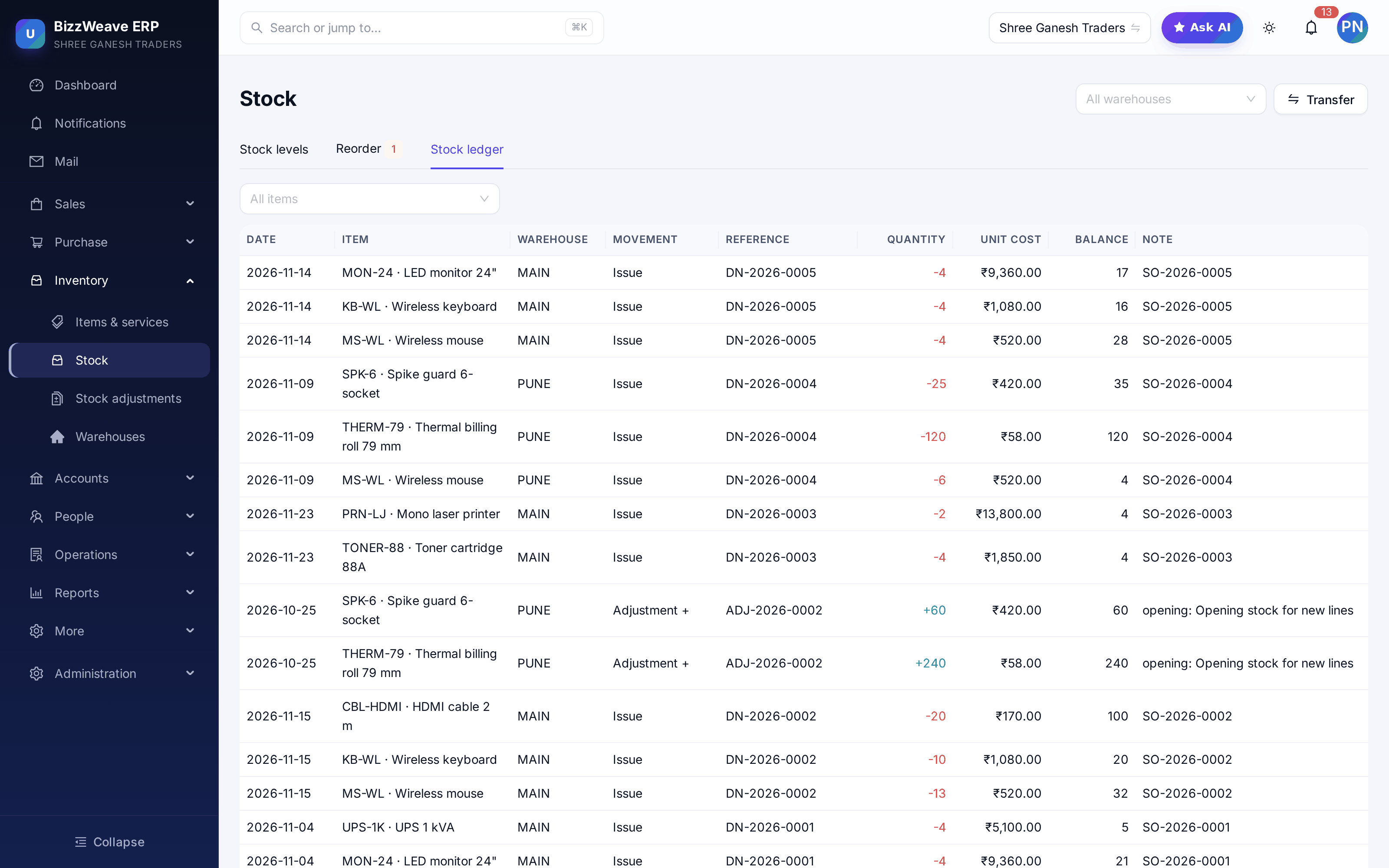
The Stock ledger tab lists every movement, newest first: receipts, issues (deliveries), transfers in and out, and adjustments, with the reference (such as a delivery note or GRN), quantity, unit cost and running balance. Choose an item to see only its movements.
Transfer stock between warehouses
- Click “Transfer”.
- Choose From and To warehouses and the Date (today or earlier).
-
Add the lines: the item and quantity. Click Add line for more.

Moving 2 toner cartridges from the main warehouse to the Pune branch store. -
Add a Note and click “OK”. The message Transfer … posted appears with the transfer number.
The stock moves at once: a Transfer out from one warehouse and a Transfer in to the other, at average cost. The total stock value doesn't change.
Why can't I see some warehouses?
If your organisation uses branches and you are limited to some branches, you see only those branches' warehouses.