Attendance
Check in when you start work and check out when you leave. Forgot? Ask for a correction. Managers see who is in today and approve corrections.
Before you start
- Where: People → Attendance.
- Members, managers and administrators record their own attendance. Team today is for managers and administrators. Corrections are approved by the person's line manager or an administrator.
- Time needed: a few seconds a day.
Check in and check out
At the top right:
- Check in records the time you start. The button then changes to Check out (in since 09:25).
- Check out records the time you leave. A green tag shows today's times and hours worked, for example Today 09:25–18:10 · 8h 45m.
You can check in once a day.
This month
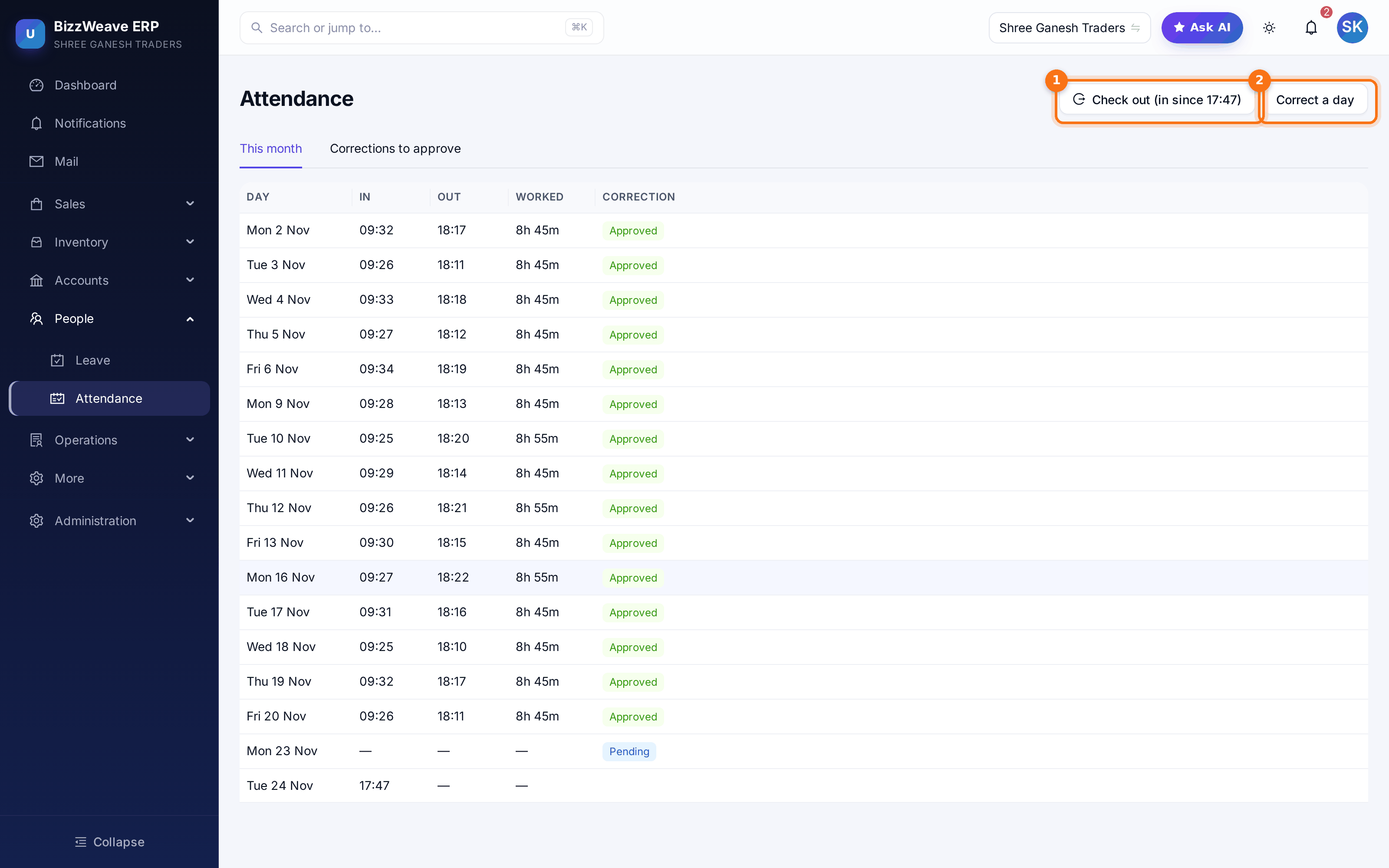
The This month tab lists each day you have a record for: the day, In, Out, hours Worked and the status of any correction.
Correct a day
If you forgot to check in or out, ask for a correction.
-
Click “Correct a day”.
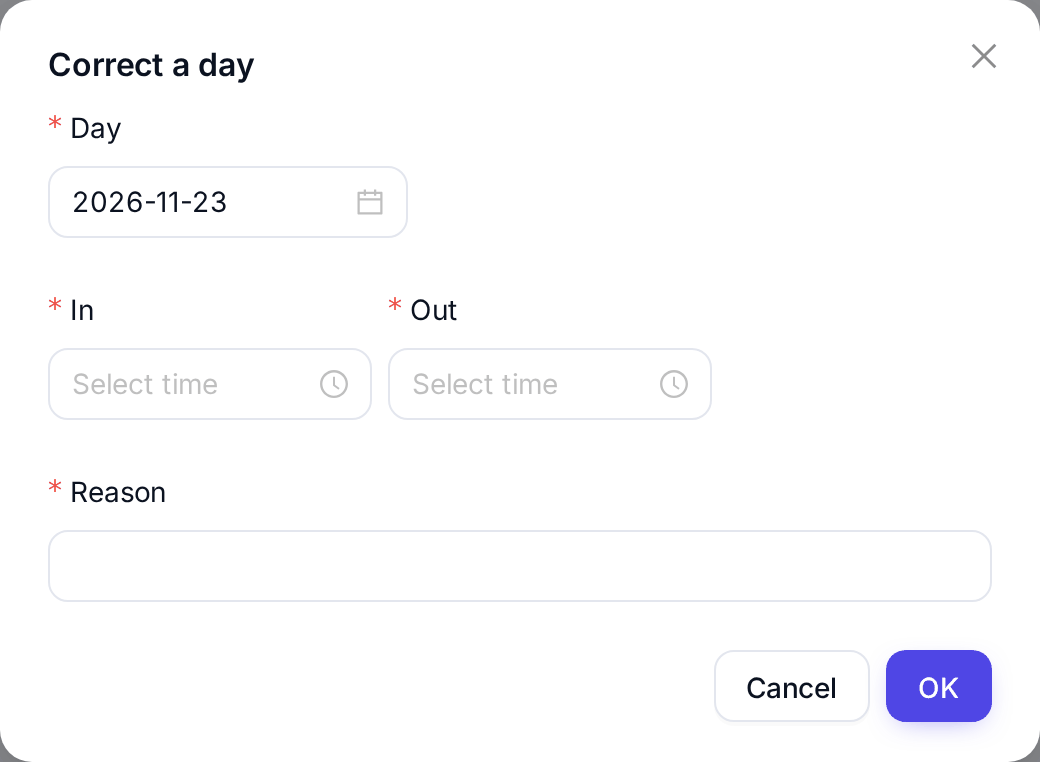
Choose the day, the in and out times and the reason. -
Pick the Day (today or earlier), the In and Out times, and type the Reason (all required). Out must be after In.
- Click “OK”. The message Sent for approval appears, and the day shows Pending.
Approve corrections
-
Click the Corrections to approve tab.
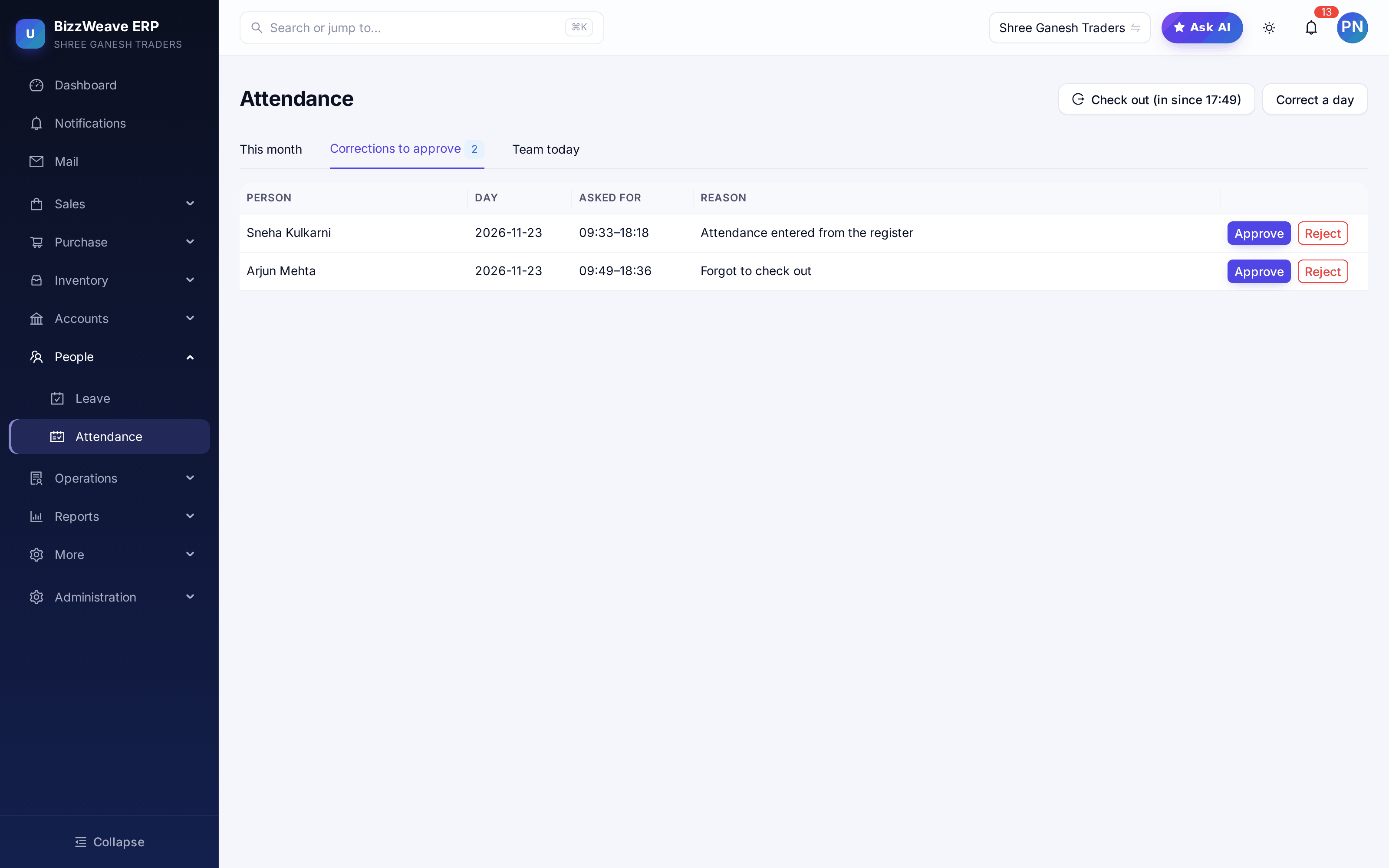
Each request shows the person, the day, the times asked for and the reason. -
Click “Approve” to accept the times, or Reject.
Nobody can approve their own correction.
Team today
Managers and administrators see Team today: everyone in the organisation with their status today.
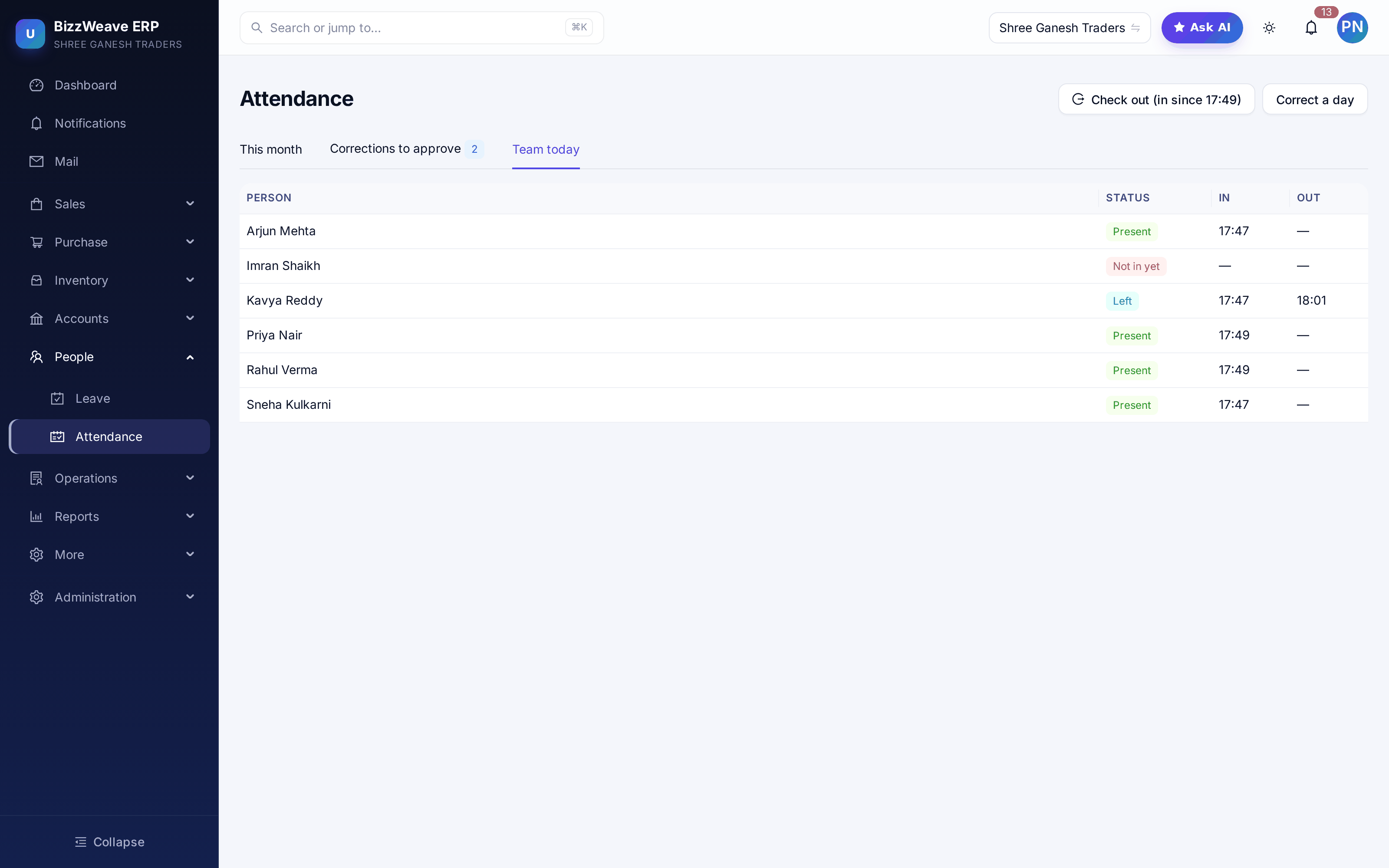
| Status | Meaning |
|---|---|
| Present | Checked in, not yet out. |
| Left | Checked in and out. |
| On leave | Approved leave today. |
| Off today | A weekly off or a holiday. |
| Not in yet | A working day with no check-in so far. |
I forgot to check in yesterday
Use Correct a day, pick yesterday and enter your real times. Your manager approves it.