Sales orders
A sales order is the customer's confirmed order. From it you deliver the goods (stock leaves the warehouse) and create the GST invoice for what you delivered.
Before you start
- Where: Sales → Sales orders.
- Administrators and managers create orders, deliver them and create invoices. Closing or cancelling an order needs administrator rights.
- The goods must be in stock in the warehouse you ship from. See Stock.
- Time needed: about 3 minutes.
The sales order list
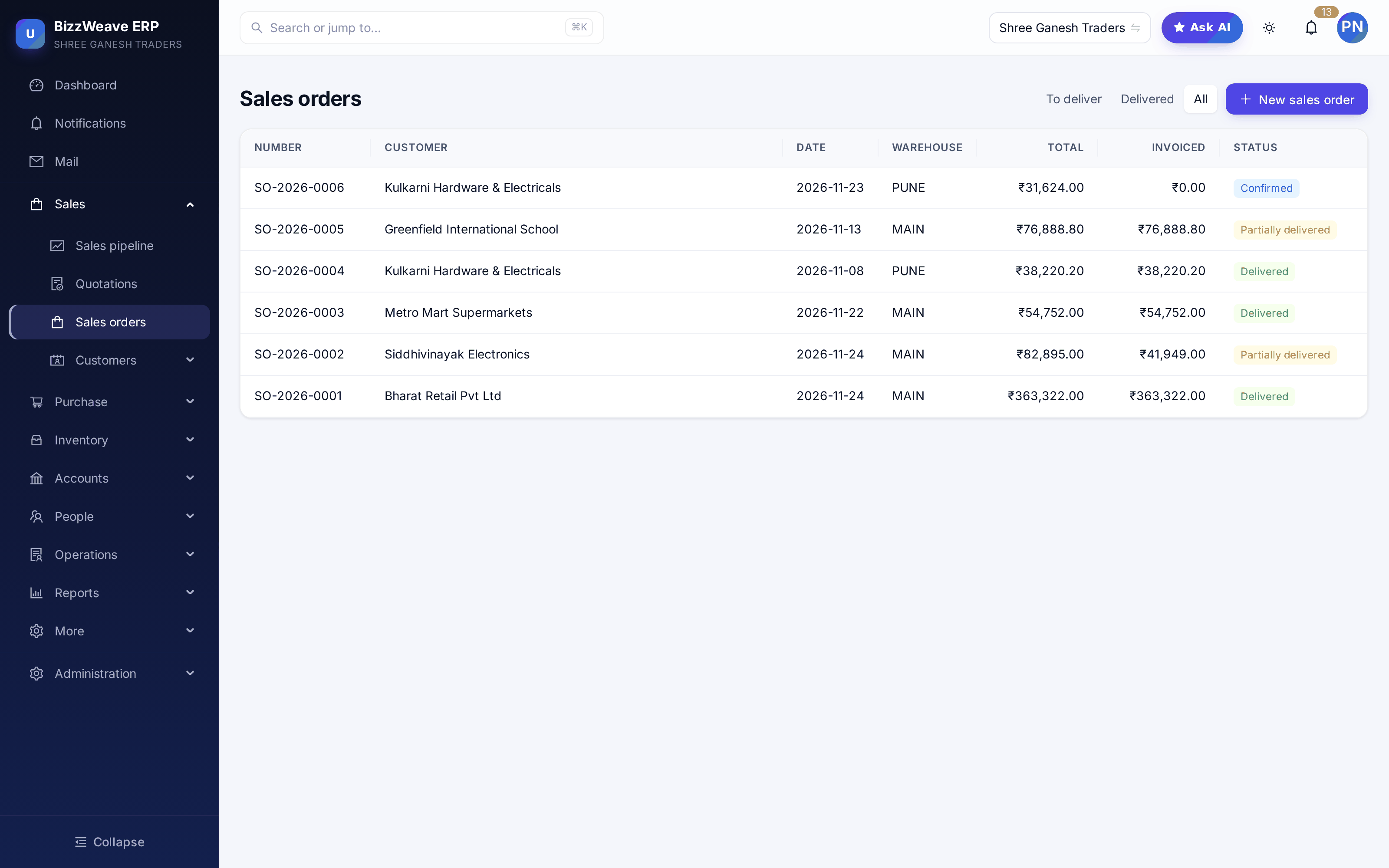
| Status | Meaning |
|---|---|
| Confirmed | Ordered; nothing delivered yet. |
| Partially delivered | Some lines or quantities delivered. |
| Delivered | Everything delivered. |
| Closed | Finished early: the rest will not be delivered. |
| Cancelled | Called off before anything was delivered. |
Create a sales order
Most orders come from an accepted quotation. To enter a direct order (for example a phone order):
-
Click “New sales order”.

The new sales order form. -
Fill in the header.
Field What to enter Example Customer Required. Kulkarni Hardware & Electricals Ship from Required. The warehouse the goods leave from. The main warehouse is chosen for you. PUNE · Pune branch store Order date Required. Today or earlier. 23 Nov 2026 Delivery by The promised delivery date. 28 Nov 2026 Customer PO / reference The customer's purchase order number. It prints on the invoice. KHE/PO/2240 -
Add the lines (item, description, quantity, price, discount % and tax), as in a quotation.
- Click “Confirm order”. The order gets a number such as SO-2026-0006 and opens.
Deliver the goods
-
Open the order and click “Deliver”.

1 Deliver. 2 Cancel order (administrators, before any delivery). -
Check the delivery. Set Delivered on (today or earlier) and From warehouse. Under Deliver now, each line starts with everything still to deliver; lower a quantity for a part delivery, or set it to 0 to leave a line for later.

Delivering the whole order from the Pune branch store. -
Add a note such as the vehicle number or courier docket, and click “OK”.
What happens next
The delivery gets a delivery-note number (for example DN-2026-0006). Stock-tracked items leave the warehouse at their average cost and the cost of goods sold is posted to the accounts. If a warehouse doesn't have enough stock, the delivery is refused with a message saying how much is available. Service lines are simply marked delivered.
Create the invoice
- On the order, click “Create invoice” and confirm. The ERP creates a draft invoice for everything delivered (and for service lines) that is not yet invoiced, and opens it.
- Check and issue the draft in Accounts. See Invoices.
The order then shows its Deliveries and Invoices at the bottom, and the Delivered and Invoiced quantity of each line.

Finish service lines too
An order becomes Delivered only when every line is delivered, including services such as installation. When the work is done, click Deliver and deliver the service line.
Close or cancel an order
- Close (administrators, on a partly or fully delivered order): the rest will not be delivered. Enter a reason.
- Cancel order (administrators, before anything is delivered): enter a reason.
Print the order
Click PDF for an order confirmation with your letterhead.
Why is “Create invoice” missing?
Everything on the order is already invoiced, or you don't have the right to create invoices.
Can I invoice before delivering?
Only service lines. Goods are invoiced after they are delivered.