Organisation settings
Set your organisation's time zone, locale, currency, date format and financial year, the default category everyone starts on, the tax rates and the service-desk SLA targets.
Before you start
- Changing settings needs the Administrator role. Everyone else sees the page read-only.
- Time needed: about 5 minutes.
Regional settings
Open Administration → System → Settings.
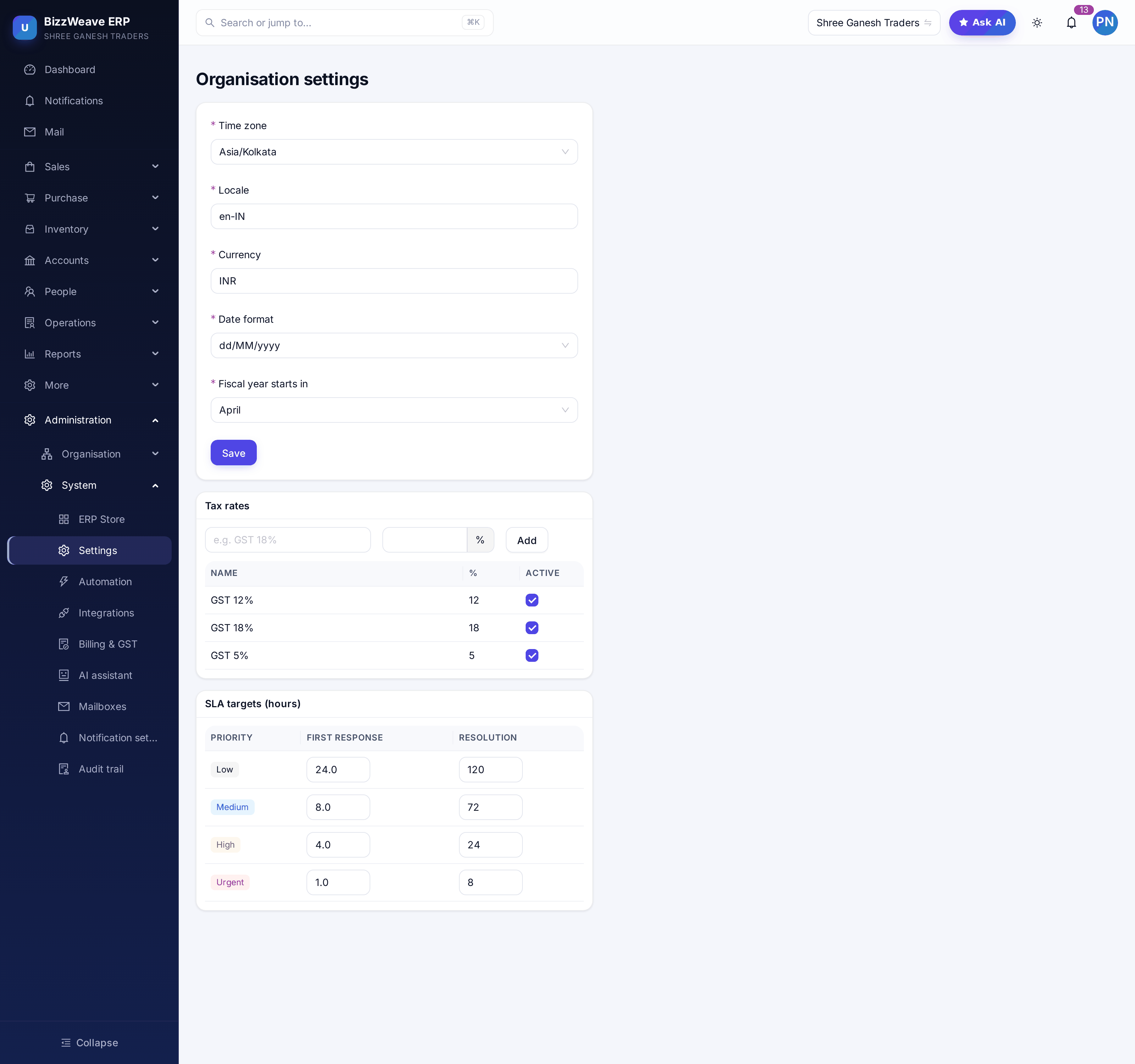
| Field | What to enter | Example |
|---|---|---|
| Time zone | Your organisation's time zone. Type to search the list. | Asia/Kolkata |
| Locale | Language and region code, used for number and date formats. | en-IN |
| Currency | The 3-letter ISO currency code. | INR |
| Date format | How dates are written. | dd/MM/yyyy |
| Fiscal year starts in | The first month of your financial year. | April |
Click Save. The message Settings saved appears. The change is recorded in the audit trail.
Choose the default category
The Menu card appears when your organisation has more than one category installed.
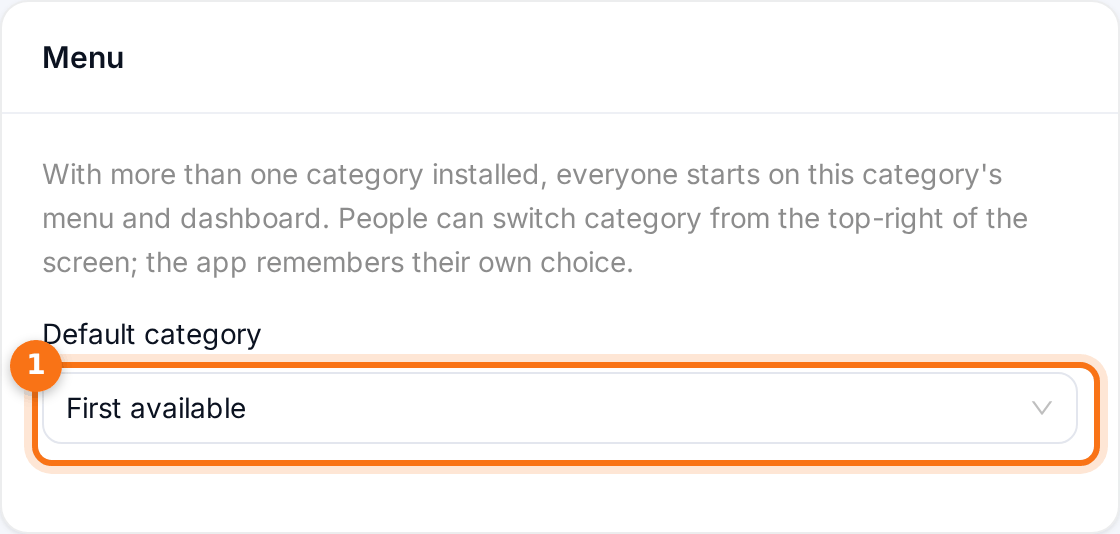
- Choose the Default category, or First available to let BizzWeave ERP pick.
- It saves straight away (Default category saved).
Everyone who hasn't chosen a category yet starts on this category's menu and dashboard. People can still switch with the category switcher in the top bar, and BizzWeave ERP then remembers their own choice. In the switcher, the default is marked default.
Tax rates
The Tax rates card lists the rates used on invoices, such as GST 18%.
- To add one, type the name and the % and click Add.
- Untick Active to stop offering a rate on new documents; existing documents keep it.
Managing tax rates needs the Configure tax rates permission (administrators). The same card is on Billing & GST.
SLA targets
When your organisation uses support tickets, the SLA targets (hours) card sets, for each priority (Low, Medium, High, Urgent), the hours allowed for the First response and the Resolution. Change the numbers and click Save. See the Generic ERP and IT ERP guides for tickets.