My approvals
One page with every decision waiting for you across the business: purchase orders, stock adjustments, leave, attendance corrections, expense claims and documents to review.
Before you start
- Where: Operations → My approvals.
- You see a box only for the approvals your role allows. For example, managers approve purchase orders and stock adjustments; administrators also approve expense claims and anyone's leave. If you have no approval rights, the page says so.
- Project approvals are separate, under Project Management → Approvals.
Read the page
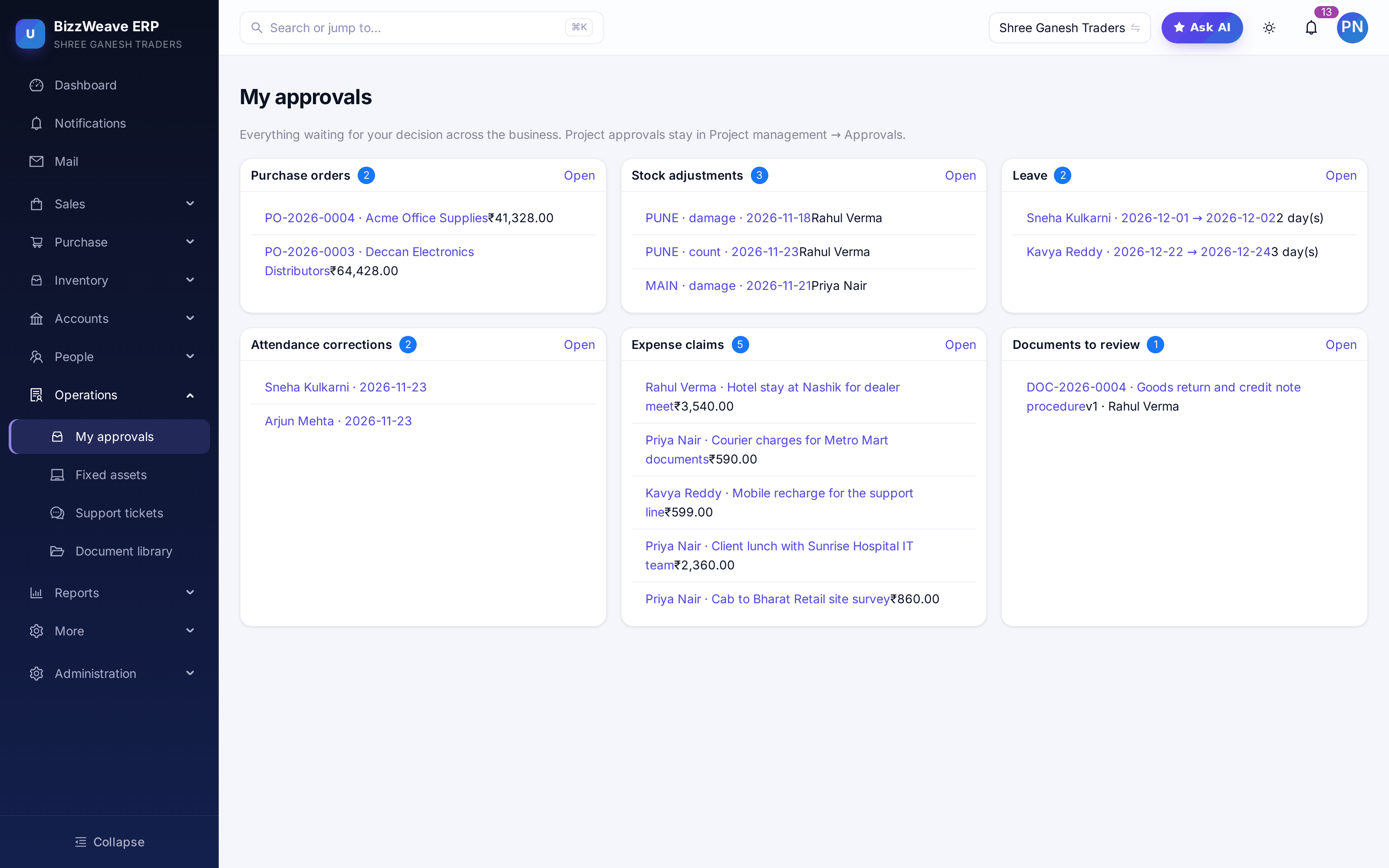
| Box | What waits there | Where you decide |
|---|---|---|
| Purchase orders | Orders submitted for approval, with supplier and total. | Purchase orders |
| Stock adjustments | Draft adjustments: warehouse, reason, date and who made them. | Stock adjustments |
| Leave | Leave requests from your team (or everyone, for administrators). | Leave |
| Attendance corrections | Requests to correct a day's check-in and check-out times. | Attendance |
| Expense claims | Submitted claims, with who submitted them and the amount. | Expenses |
| Documents to review | Library documents sent to you for review. | Document library |
Decide an item
- Click the item (for example PO-2026-0004 · Acme Office Supplies). Its page opens.
- Approve or reject it there. Each module asks for a reason when you reject or send back.
- Come back to My approvals. The item is gone from the list. Click Open at the top right of a box to see the full list in that module.
Only the first eight
Each box lists up to eight items. Use Open to see all of them.
Why do I see my own expense claims in the box?
The box lists every submitted claim, but nobody can approve their own claim. Another administrator approves yours.