Reports
The task delivery report answers the questions partners ask every month: how much work did we finish, how much of it on time, how long does a job take, and who is falling behind?
Before you start
- You need permission to see reports (owners, administrators and managers).
- Time needed: 3 minutes.
The task delivery report
Open Reports → Reports.
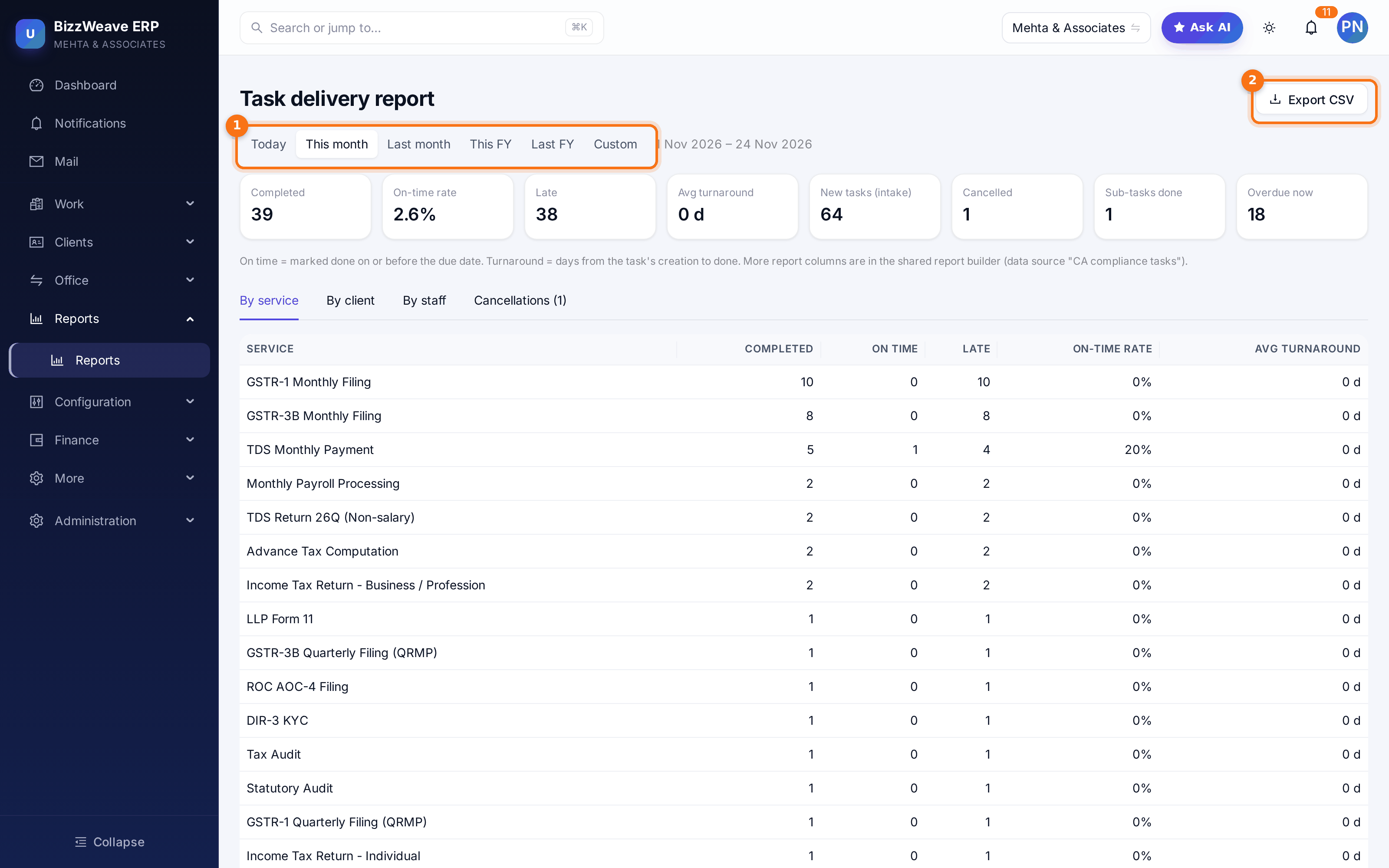
- Choose the period 1: Today, This month, Last month, This FY, Last FY (April to March) or Custom, which shows a date range. The dates in use are shown next to the buttons.
-
Read the totals in the tiles:
Tile Meaning Completed Tasks marked done in the period. On-time rate The share of completed tasks marked done on or before their due date. Late Completed tasks marked done after their due date. Avg turnaround Average days from the task's creation to done. New tasks (intake) Tasks created in the period. Cancelled Tasks cancelled in the period. Sub-tasks done Sub-tasks finished in the period. Overdue now Open tasks that are overdue today. -
Look at the detail in the tabs: By service, By client and By staff, each with completed, on time, late, on-time rate and average turnaround. Cancellations lists every cancelled task with its client, date and reason; click a task number to open it.

The same period by staff member. -
Export CSV 2 downloads the totals and all four tables as one spreadsheet file.
Why is the on-time rate low?
On time compares the day the task was marked done in the ERP with its due date. If your team files on time but updates the ERP days later, the report shows the work as late. Mark tasks done on the day you file. The Filed date you enter doesn't change this. (In the example firm most work was entered into the ERP late, which is why its rate is so low.)
For other columns and your own layouts, use the shared report builder with the data source CA compliance tasks. The dashboard shows today's workload by staff member.
Common questions
Why don't I see Reports in the menu?
Your role doesn't include reports. Members and viewers don't see them.
Are invoiced tasks counted as completed?
Yes. A task that was done and then invoiced counts as completed in the period it was marked done.