DSC & expiry
Keep every digital signature certificate (DSC), licence, registration and insurance policy your firm looks after, with its expiry date. The ERP reminds the person responsible before anything expires, so an ROC filing never stops because a director's DSC ran out.
Before you start
- To add or renew items you need the Member role or higher. Everyone can see the register.
- Have the expiry date and the token or certificate number ready.
- Time needed: 1 minute per item.
The register
Open Office → DSC & expiry.
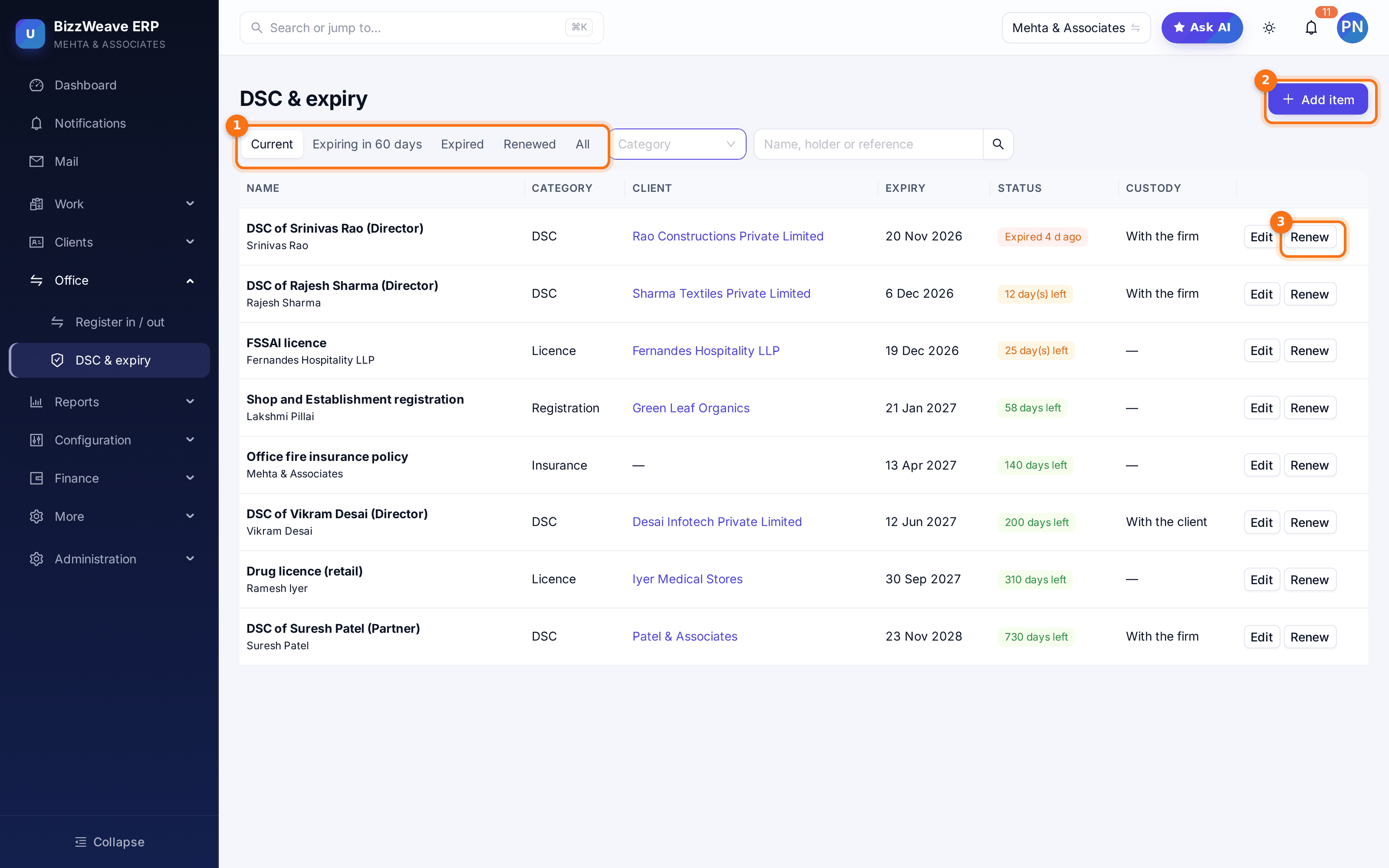
The Status column tells you at a glance:
- green N days left: no action needed yet;
- orange N day(s) left: within the reminder period;
- red Expired N d ago;
- grey Renewed: replaced by a newer item.
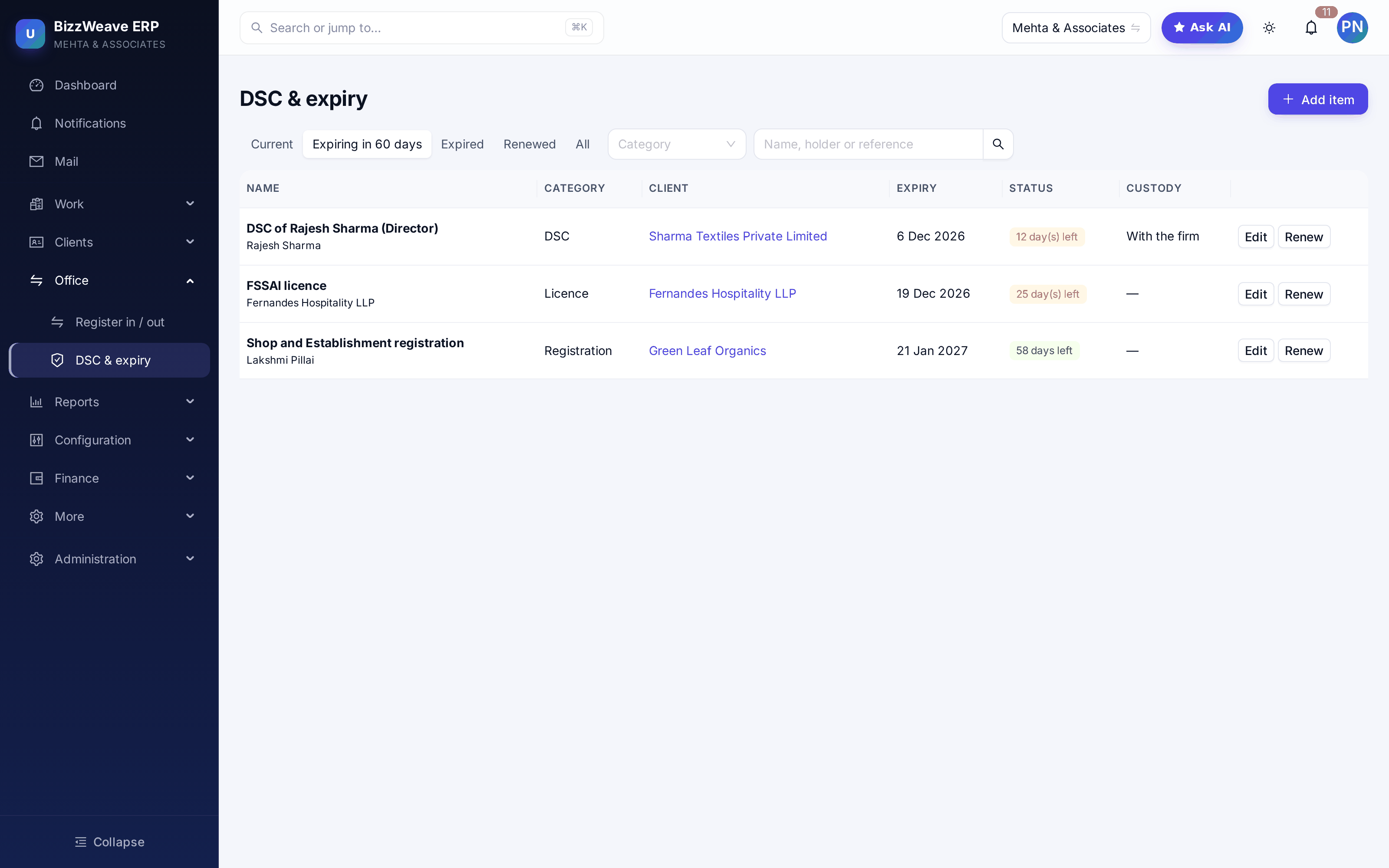
Choose a view 1: Current (everything not yet renewed), Expiring in 60 days, Expired, Renewed or All. Filter by Category (DSC, Licence, Registration, Insurance, Other) or search by name, holder or reference number.
Add a DSC or licence
- Click Add item 2.
-
Fill in the window:

A new DSC for a designated partner. Field What to enter Example Category (required) DSC, Licence, Registration, Insurance or Other. DSC Name (required) What it is and whose. DSC of Maria Fernandes (Designated Partner) Client The client it belongs to. Leave empty for the firm's own items. Fernandes Hospitality LLP Holder The person or business named on it. Maria Fernandes Reference no., Issued by Certificate or licence number, and the issuer. eMudhra Class, Token with For DSCs only: Class 3, DGFT or Other; and whether the USB token is kept by the Firm or the Client. Class 3, Firm Issued on, Expires on (required) The validity dates. 24 Nov 2028 Remind days before When the reminder starts. 30 by default. 30 Remind Who gets the reminder. Empty = you. Kavya Reddy Custom fields Fields your firm added, such as Token serial no. Notes Anything useful. Never store the DSC PIN or password here. -
Click Save.
What happens next
From Remind days before the expiry date, the person in Remind gets a notification: DSC of Rajesh Sharma (Director) expires on 6 Dec 2026. Items expired or expiring within 30 days are also counted on the dashboard.
Renew an item
When the client gets a new DSC or the licence is renewed:
- Click Renew 3 on the item's row.
-
Enter Issued on, the New expiry date (it must be after the current one) and the New reference no. if it changed.
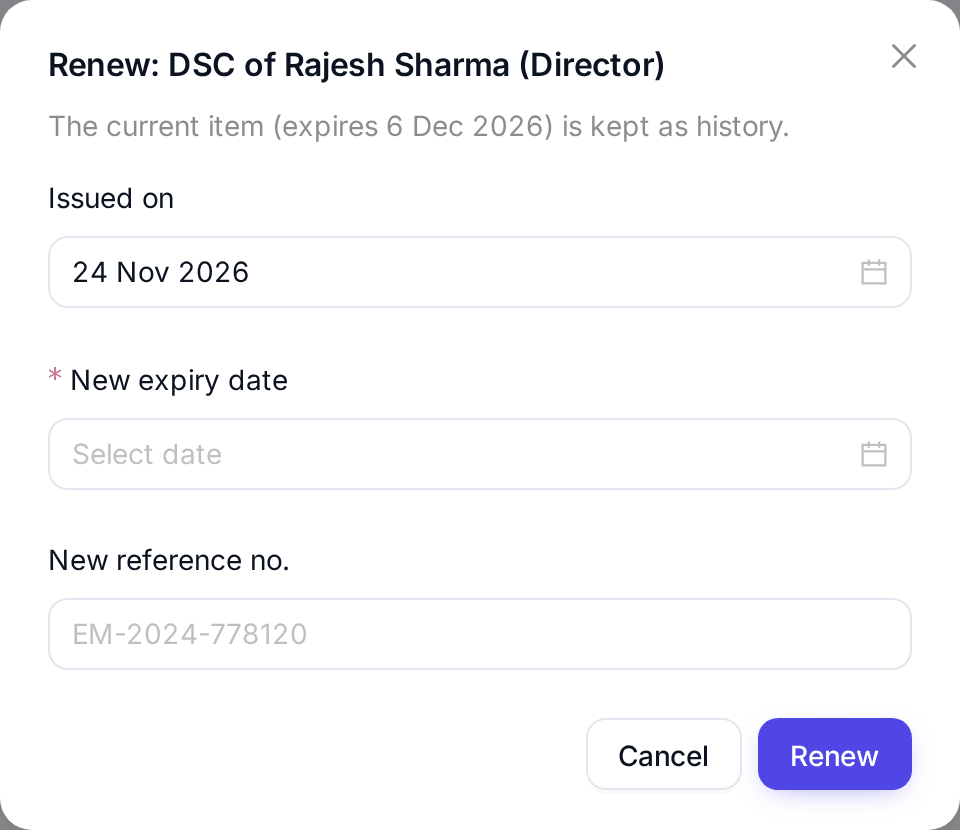
The current item is kept as history. -
Click Renew.
The old item is marked Renewed and moves to the Renewed view; a new item with the new dates takes its place in Current. To fix a typing mistake instead, use Edit; Delete is in the edit window.
Common questions
Can I store the DSC password?
No, and you shouldn't. Keep passwords out of the ERP.
Nobody got a reminder
Check that the item has a person in Remind (or was created by someone still in the firm) and that Remind days before has been reached.