Chart of accounts
The list of accounts your books are kept in: assets, liabilities, equity, income and expenses. BizzWeave ERP comes with the accounts it needs for automatic postings; add your own for the expenses you want to track separately.
Before you start
- Where: Accounts → Accounting → Chart of accounts.
- Administrators and managers can see it. Only administrators can add or change accounts.
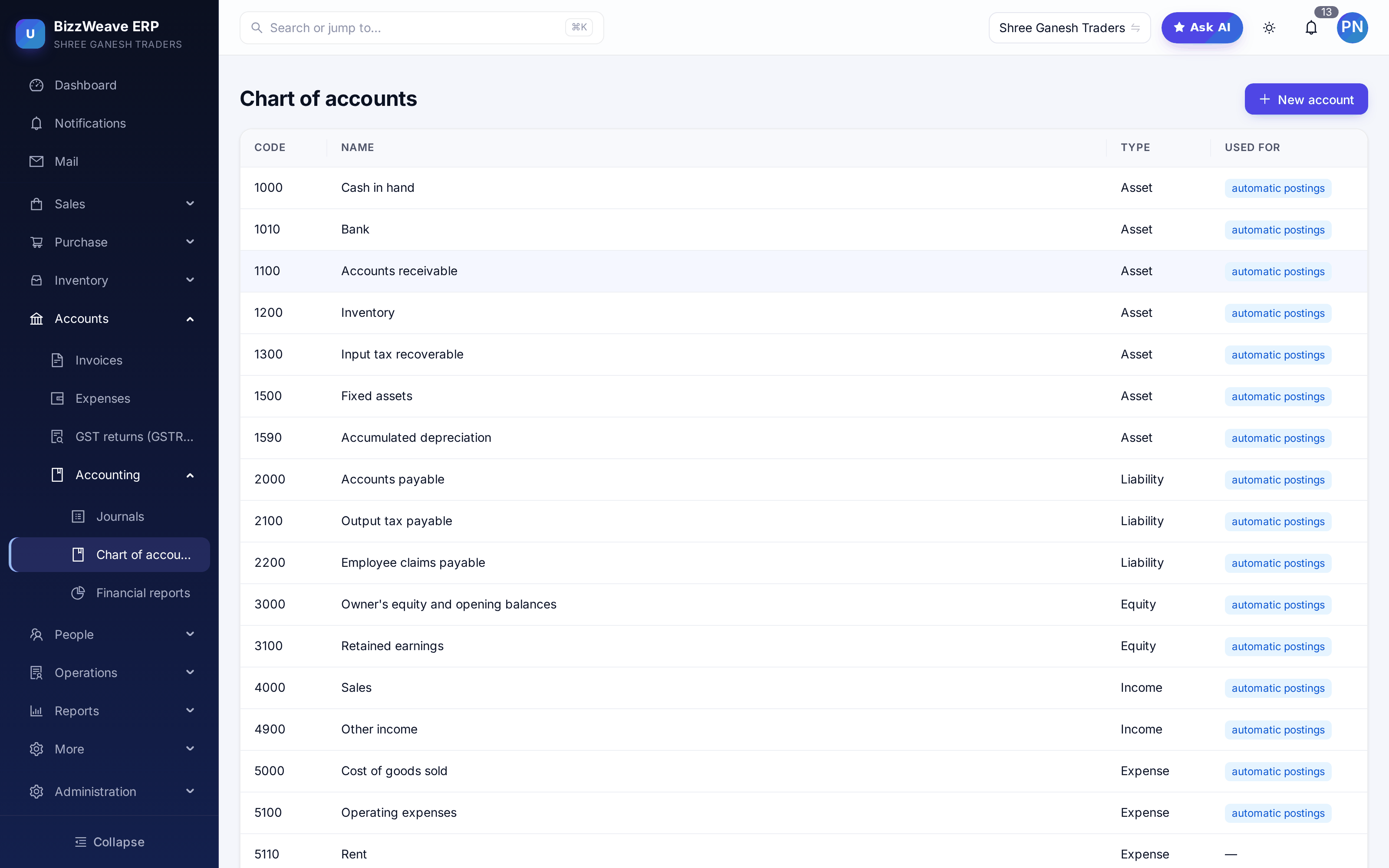
The account list
| Type | Examples |
|---|---|
| Asset | 1000 Cash in hand, 1010 Bank, 1100 Accounts receivable, 1200 Inventory, 1300 Input tax recoverable, 1500 Fixed assets |
| Liability | 2000 Accounts payable, 2100 Output tax payable, 2200 Employee claims payable |
| Equity | 3000 Owner's equity and opening balances, 3100 Retained earnings |
| Income | 4000 Sales, 4900 Other income |
| Expense | 5000 Cost of goods sold, 5100 Operating expenses, 5300 Depreciation |
Add an account
- Click “New account”.
- Enter the Code (letters, digits,
.and-, for example 5110), choose the Type and type the Name (for example Rent). - Click “OK”.
Click an account to rename it or untick Active. For accounts used for automatic postings, you can't change the type or deactivate them.
Which code should I use?
Keep to the ranges above: 1xxx assets, 2xxx liabilities, 3xxx equity, 4xxx income and 5xxx expenses. Then reports read naturally.