Journals
Every money movement in BizzWeave ERP becomes a double-entry journal automatically. Here you can read those journals, and post your own manual journals for things like rent, salaries or supplier payments.
Before you start
- Where: Accounts → Accounting → Journals.
- Administrators and managers can read and post journals. Reversing a journal needs administrator rights. Members don't see the accounts.
- Time needed: about 2 minutes per manual journal.
A journal (or journal voucher) records one transaction as debits and credits that balance. For example, paying rent from the bank is debit Rent, credit Bank.
The journal list
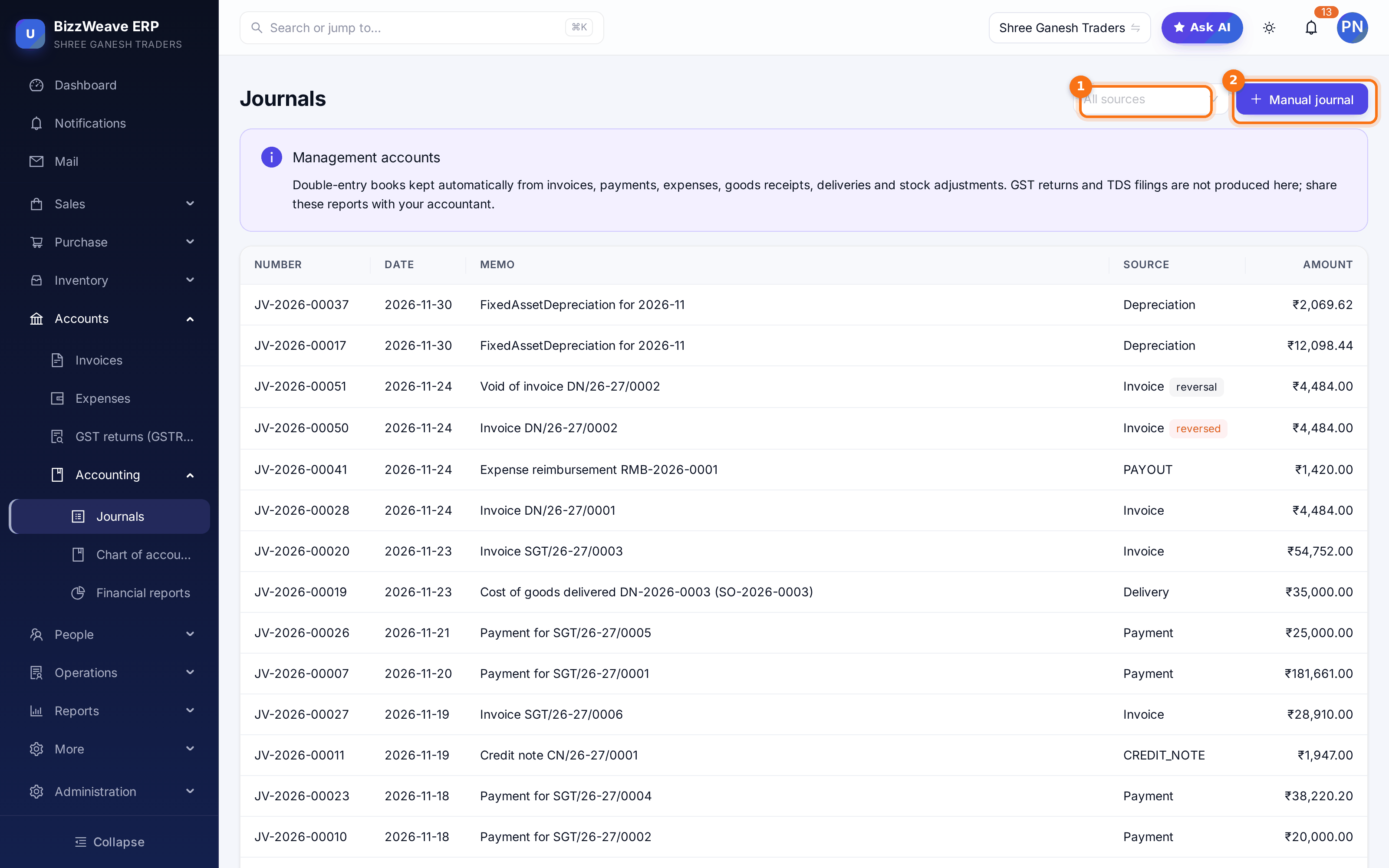
Each journal has a number (such as JV-2026-00031), a date, a memo, its Source and the amount. The ERP posts journals for you from:
| Source | When |
|---|---|
| Invoice | An invoice, credit note or debit note is issued (sales and output GST against accounts receivable). |
| Payment | A customer payment is recorded. |
| Expense claim | An expense claim is approved. |
| Goods receipt | Goods are received on a purchase order (stock against accounts payable). |
| Delivery | Goods are delivered (cost of goods sold). |
| Stock adjustment | An adjustment is approved. |
| Depreciation | Monthly depreciation of fixed assets is run. |
| Manual | You posted it yourself. |
Reimbursement payouts also post journals; they show the source PAYOUT.
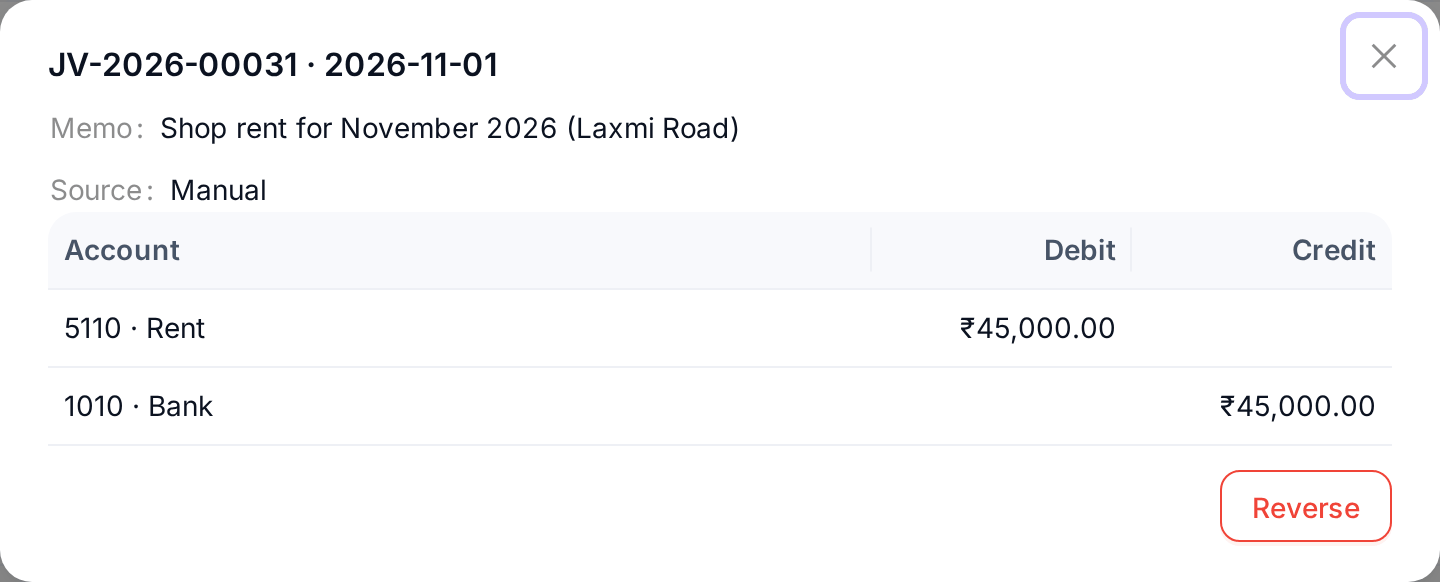
Click a journal to see its lines.
Post a manual journal
- Click “Manual journal”.
- Enter the Date and a Memo that explains the entry (both required).
-
Fill in the lines. For each line choose the Account and type the Debit or the Credit amount, with an optional Line note. Click Add line for more than two lines.

Telephone and internet paid from the bank: debit Operating expenses, credit Bank. The line below says balanced. -
Check the line under the table: total debits must equal total credits. OK stays disabled until the journal is balanced.
- Click “OK”. The message Journal posted appears.
Common manual journals
| Transaction | Debit | Credit |
|---|---|---|
| Rent paid by bank | 5110 · Rent | 1010 · Bank |
| Salaries paid | 5130 · Salaries and wages | 1010 · Bank |
| Paying a supplier | 2000 · Accounts payable | 1010 · Bank |
| Owner brings in capital | 1010 · Bank | 3000 · Owner's equity and opening balances |
Accounts such as Rent or Salaries and wages must exist in the chart of accounts.
Reverse a journal
A posted journal can't be edited or deleted. To undo it, an administrator opens it and clicks Reverse: the ERP posts an opposite journal dated today. Both are tagged reversal and reversed in the list.
Why can't I post a journal for last year?
The books may be locked up to a date (see Financial reports). Ask an administrator.