Leave
Apply for leave, see how many days you have left, and approve your team's requests. Approved leave also shows in project planning, so nobody gets work on a day off.
Before you start
- Where: People → Leave.
- Members, managers and administrators can request leave. A request is approved by the person's line manager, or by an administrator. Nobody approves their own leave.
- Time needed: 1 minute.
Your balances and requests
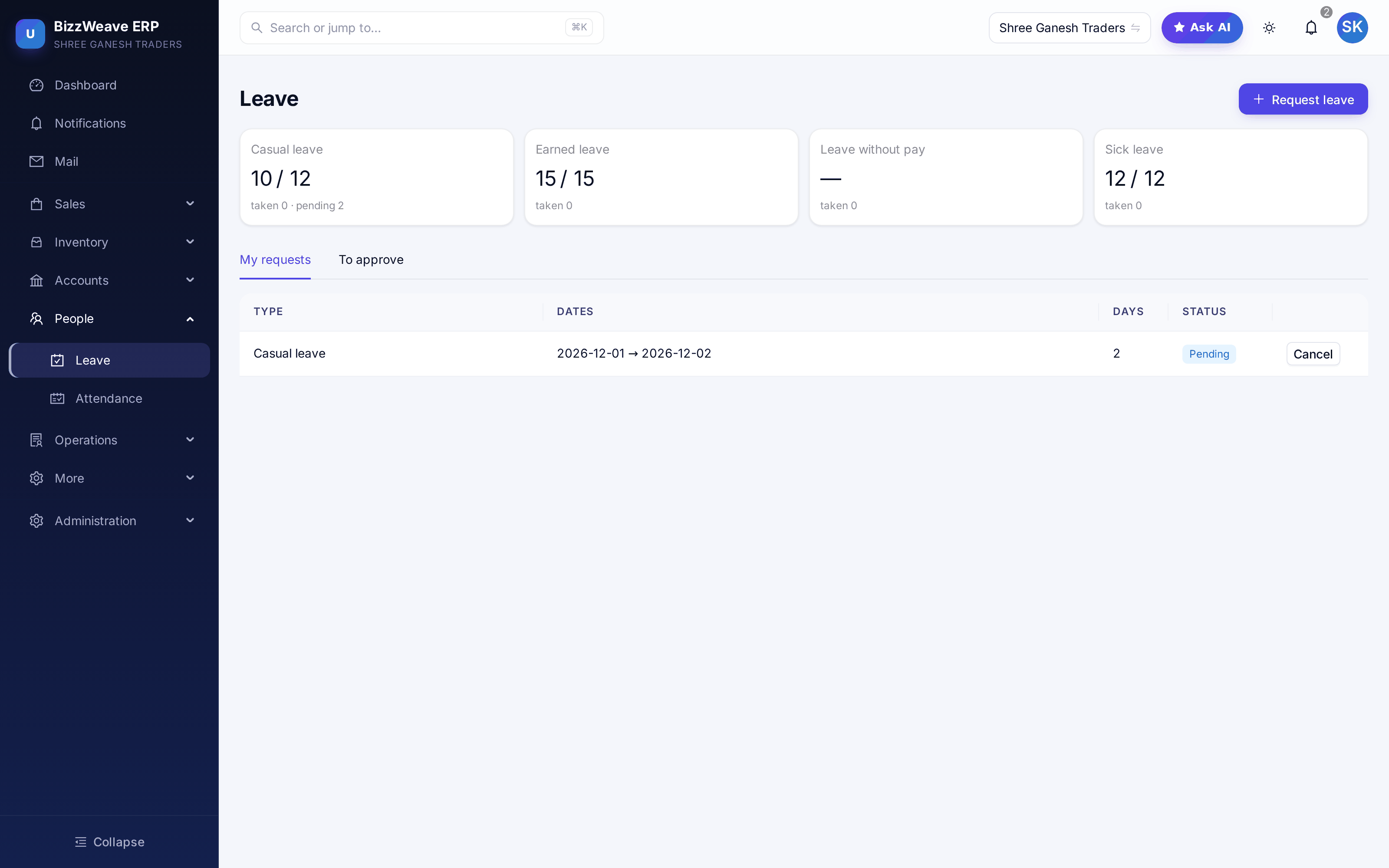
The cards at the top show each leave type with the days available / entitled this year, and how many are taken and pending. The organisation starts with four types:
| Leave type | Days a year | Paid |
|---|---|---|
| Casual leave | 12 | Yes |
| Sick leave | 12 | Yes |
| Earned leave | 15 | Yes |
| Leave without pay | No limit | No |
My requests lists your requests with their status: Pending, Approved, Rejected or Cancelled. Hover over the status to read the approver's note.
Request leave
-
Click “Request leave”.

Requesting casual leave. -
Choose the Type and the Dates (first and last day). For half a day, tick Half day and pick one date.
- Add a Reason (optional) and click “OK”. The message Leave requested appears.
Only your working days count: weekly offs and holidays inside the dates are skipped. The ERP refuses a request if you don't have enough days left, if you already have leave on those days, or if the dates cross the year end (split it into two requests).
Cancel a request
Click Cancel next to a pending request, or an approved one that hasn't started yet.
Approve or reject leave
-
Click the To approve tab. The number shows how many requests wait for you.
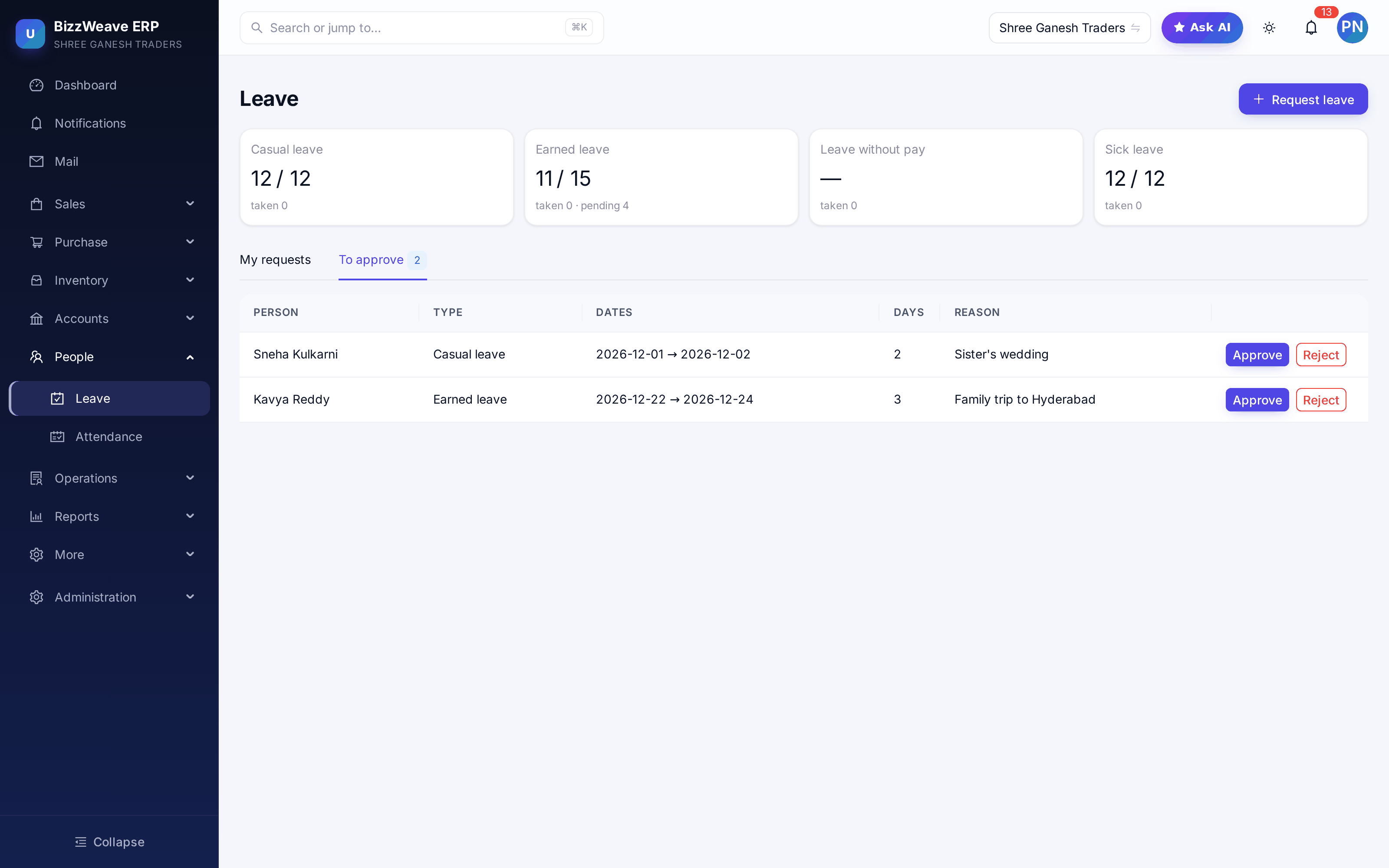
Two requests waiting for the administrator. -
Click “Approve”, or Reject and type the reason.
What happens next
The person sees the new status in My requests. Approved leave is added to their time off in project planning, so their capacity is reduced on those days.
My balance shows fewer days than I expected
Available already subtracts both approved (taken) and pending days. If you cancel a pending request, its days come back.
Can I change the leave types or someone's entitlement?
Not from this page. The leave types and yearly quotas are set up for the organisation; ask your administrator or BizzWeave support if they need to change.