Notifications
Notifications tell you when something needs you: a task assigned to you, an approval waiting, a ticket that breached its SLA. They collect under the bell in the top bar and on the Notifications page.
Before you start
- Everyone gets notifications. Which ones depends on your role and your work.
- To choose e-mail, push or SMS as well, see Notification preferences.
The bell
The bell in the top bar shows a red number: how many notifications you haven't read yet. It updates every minute.
-
Click the bell. The latest notifications drop down. Unread ones are in bold.

Each notification shows a title, a short text and the date and time. -
Click a notification. It is marked as read and, if it is about a record, that record opens, for example the expense claim waiting for your approval.
- Click See all to open the Notifications page.
The Notifications page
Open Notifications from the top of the menu.
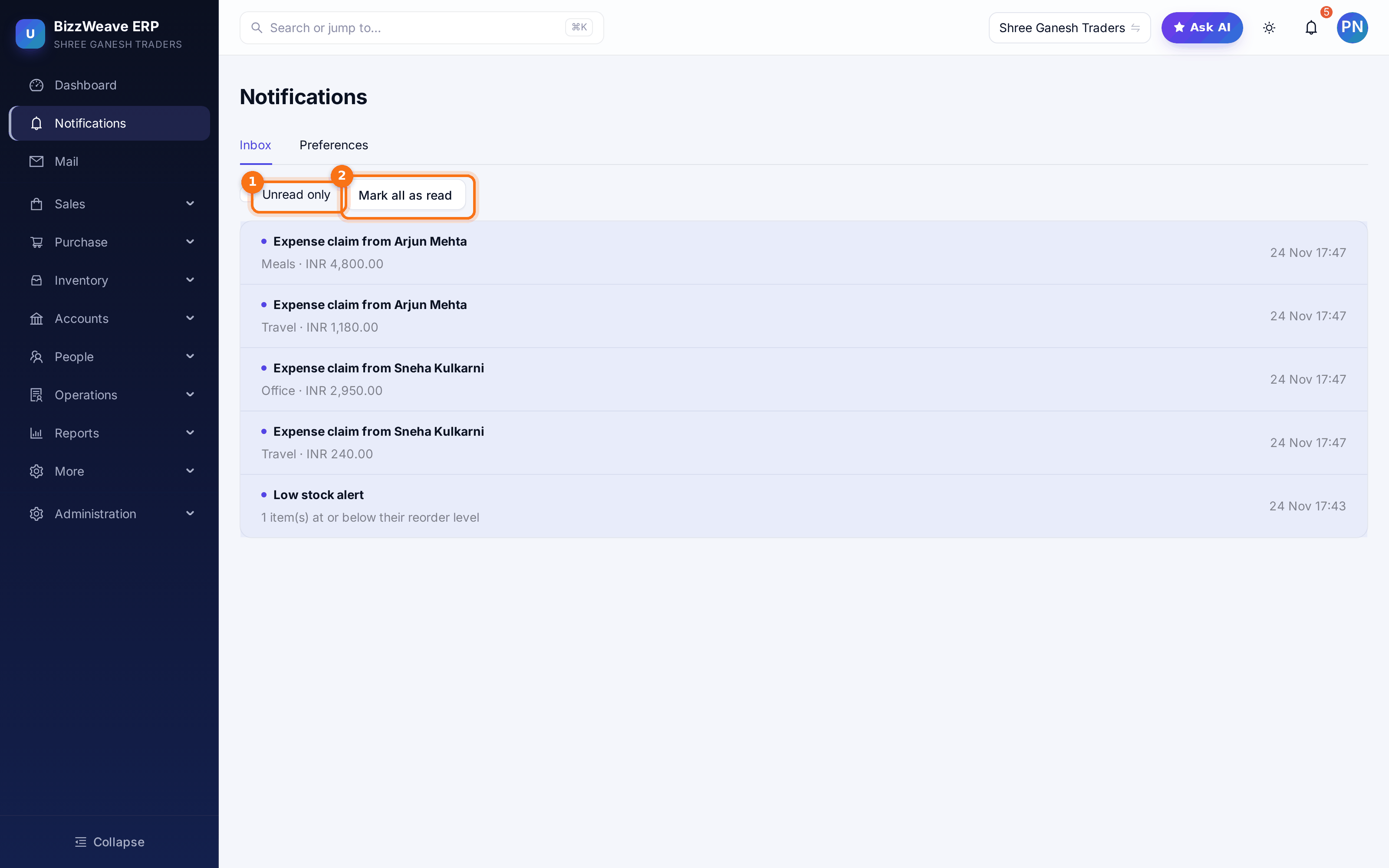
- Unread notifications have a blue dot and a light background.
- Click a notification to mark it read and open the record it is about.
- The page shows your latest 100 notifications.
- The Preferences tab is where you choose channels; see Notification preferences.
What you are notified about
Some common examples (the full list is on the Preferences tab):
| Area | Examples |
|---|---|
| Tasks and projects | A task is assigned to you; an item of yours is due tomorrow or overdue; someone mentioned you; a milestone was missed. |
| Approvals | A purchase order, expense claim or document is waiting for your approval; your request was decided. |
| Service desk | A ticket was assigned to you or breached its SLA; your request was answered. |
| CA ERP | A compliance task was assigned to you, is waiting for your review or was sent back; a client hasn't sent requested documents; a DSC expires soon. |
| Automation | An automation rule found something to act on, for example low stock or an overdue invoice. |
Automation rules can notify you
Administrators can set up rules such as notify the managers when an invoice is 15 days overdue. See Automation.
Common questions
Notifications belong to which organisation?
To the one you are working in. Switch organisation to see the other organisation's notifications.
I don't get some notifications at all.
Check your preferences for that notification type. If e-mails don't arrive, ask your administrator to check Notification settings → Delivery history.