GST returns (GSTR-1)
BizzWeave ERP prepares the figures for your monthly GSTR-1 return from the GST invoices, credit notes and debit notes you issued, section by section, ready to check and download.
Before you start
- Where: in Business ERP, open Accounts → GST returns (GSTR-1). You can also reach it from the GST returns link in the blue box on the invoice list.
- Administrators and managers (anyone who can read invoices) can open it.
- GST billing must be switched on, with your GSTIN, under Administration → System → Billing & GST. Only invoices issued while GST billing was on are included.
- Time needed: about 10 minutes a month to check.
GSTR-1 is the monthly (or quarterly) return of your outward supplies: what you sold, to whom, at which GST rate. You file it on the GST portal; this page prepares the data.
The ERP doesn't file the return
Check the figures, add any supplies you billed outside BizzWeave ERP, and then file GSTR-1 on the GST portal (or give the CSV files to your accountant). Draft invoices are not included; cancelled (void) documents appear only in the document summary.
Open a month
- Open the page. It shows the previous month until the 11th of the month (the GSTR-1 due date), and the current month after that.
-
Choose another month with the month picker at the top right.
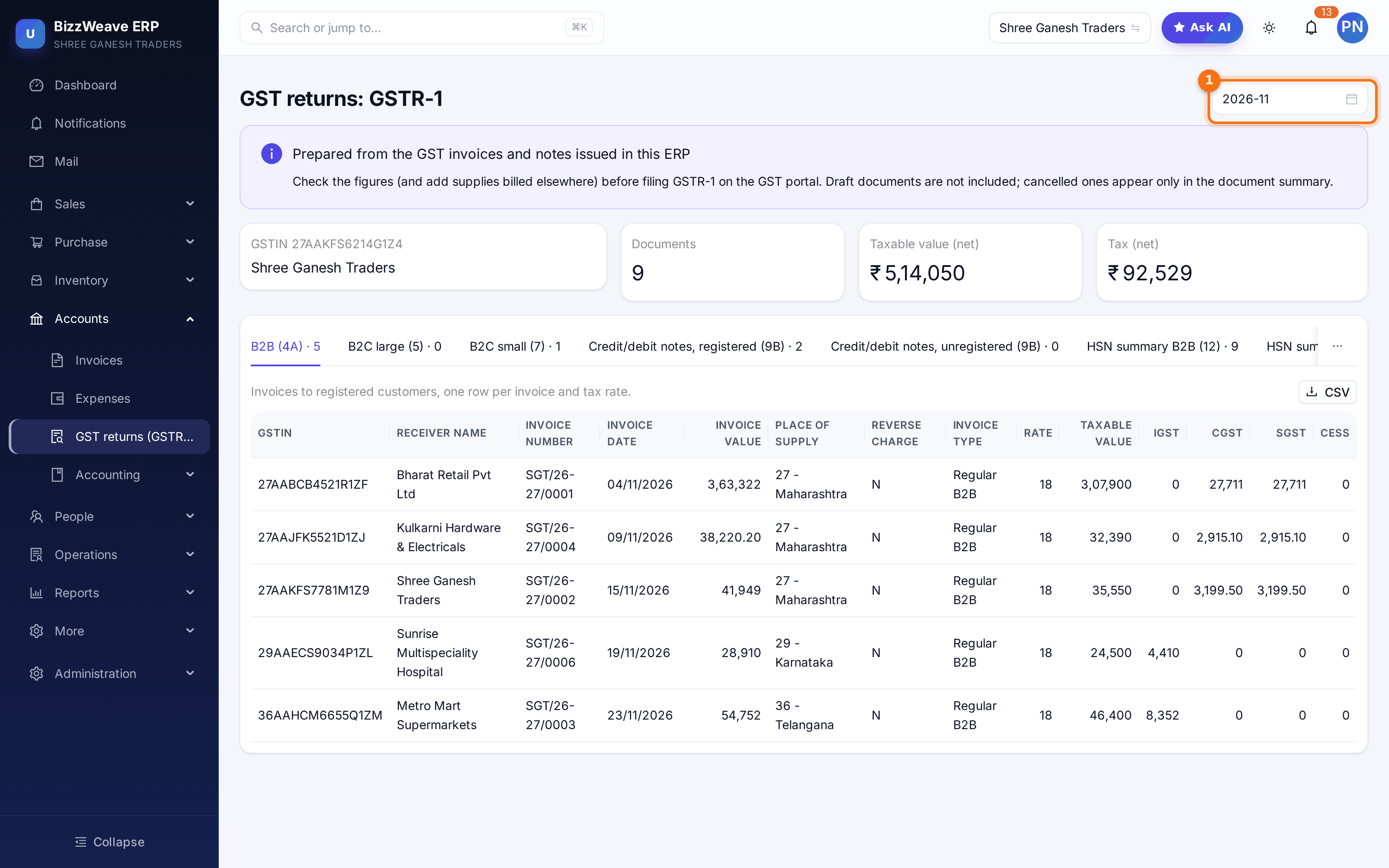
1 The month. The cards show your GSTIN, the number of documents and the net taxable value and tax.
The sections
Each tab is one section of the GSTR-1 form. The number after its name is how many rows it has.
| Tab | What goes there |
|---|---|
| B2B (4A) | Invoices to registered customers (with a GSTIN): one row per invoice and tax rate, with the receiver's GSTIN and name, invoice number, date and value, place of supply, rate, taxable value and IGST, CGST and SGST. |
| B2C large (5) | Invoices to unregistered customers in another state, above ₹1,00,000. |
| B2C small (7) | All other supplies to unregistered customers, by place of supply and rate, net of their credit and debit notes. |
| Credit/debit notes, registered (9B) | Notes issued to registered customers. |
| Credit/debit notes, unregistered (9B) | Notes against B2C large invoices. |
| HSN summary B2B (12) | Totals per HSN/SAC code and rate for registered customers (credit notes subtracted). |
| HSN summary B2C (12) | The same for unregistered customers. |
| Documents issued (13) | The number series you used in the month (invoices, credit notes, debit notes), with how many were cancelled. |
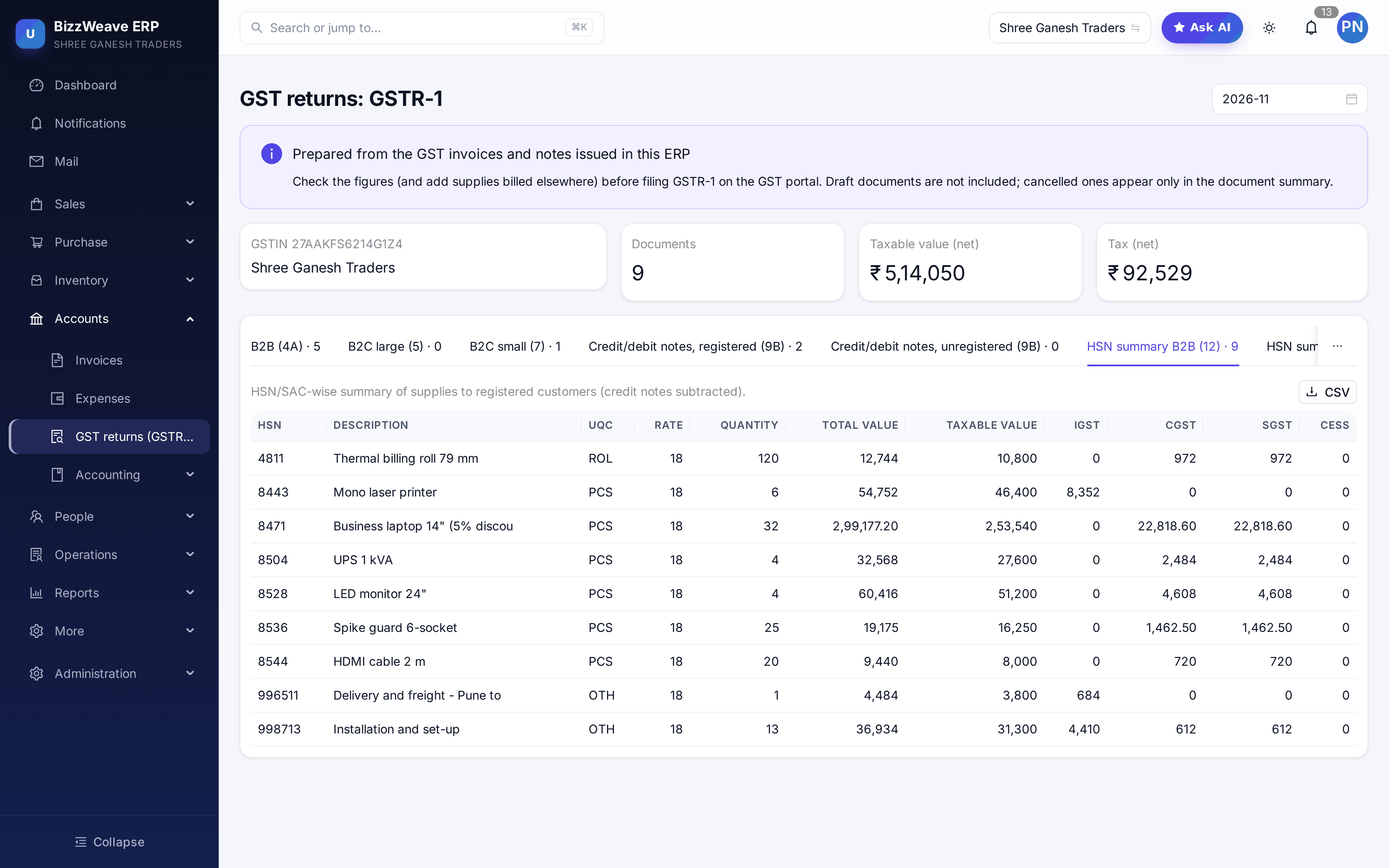
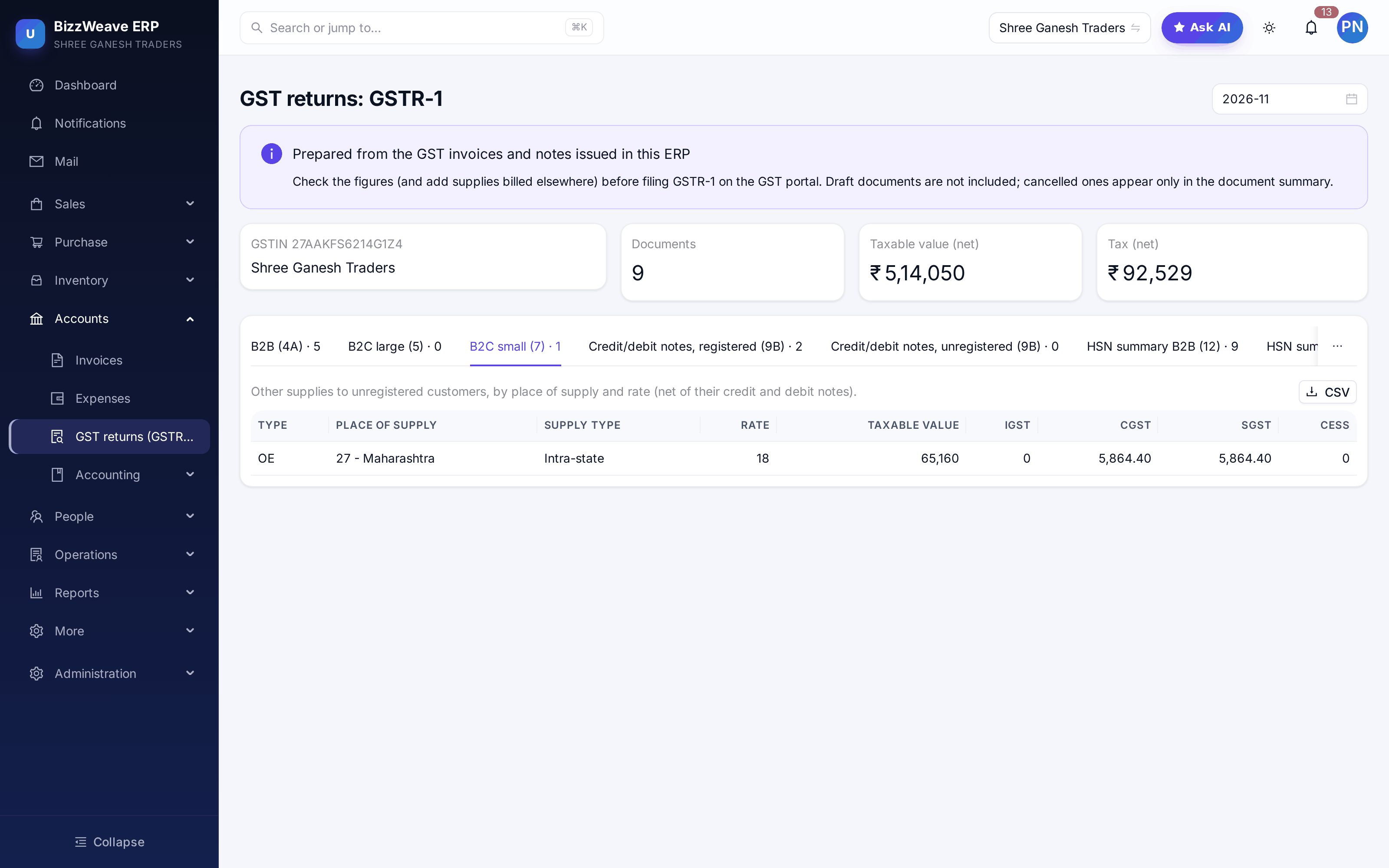
Download the data
Click CSV on a tab to download that section. Open it in Excel or give it to your accountant to prepare the return on the GST portal.
Common questions
An invoice is missing from GSTR-1
Check that it is issued (not a draft), that its issue date falls in the month you are looking at, and that it was issued with GST billing on (it shows a GST tag).
The customer's GSTIN in B2B is wrong
The invoice keeps the GSTIN it was issued with. Raise a credit note for the whole invoice and issue a new invoice with the right GSTIN. Fix the GSTIN on the company first (see Customers).
Does the ERP prepare GSTR-3B?
No. Only the GSTR-1 data is prepared here. Your accountant prepares GSTR-3B, using your purchase records as well.