Customers: companies and contacts
Keep every business you deal with in one list (customers, prospects, suppliers and partners) with their GSTIN, address and contact people, and a timeline of calls, meetings and follow-ups.
Before you start
- Where: in Business ERP, open Sales → Customers → Companies or Sales → Customers → CRM (contacts). In IT ERP the same pages are under Customers → Companies and Customers → CRM.
- Everyone can see companies and contacts. Administrators and managers can add and edit them; members can log activities such as calls and notes.
- Keep the company's GSTIN (if registered), address, e-mail and phone number ready.
- Time needed: about 2 minutes per company.
A company is any organisation you deal with. A contact is a person, usually working at a company. Quotations, sales orders and invoices are made out to a company; purchase orders go to a company of type Vendor.
The company list
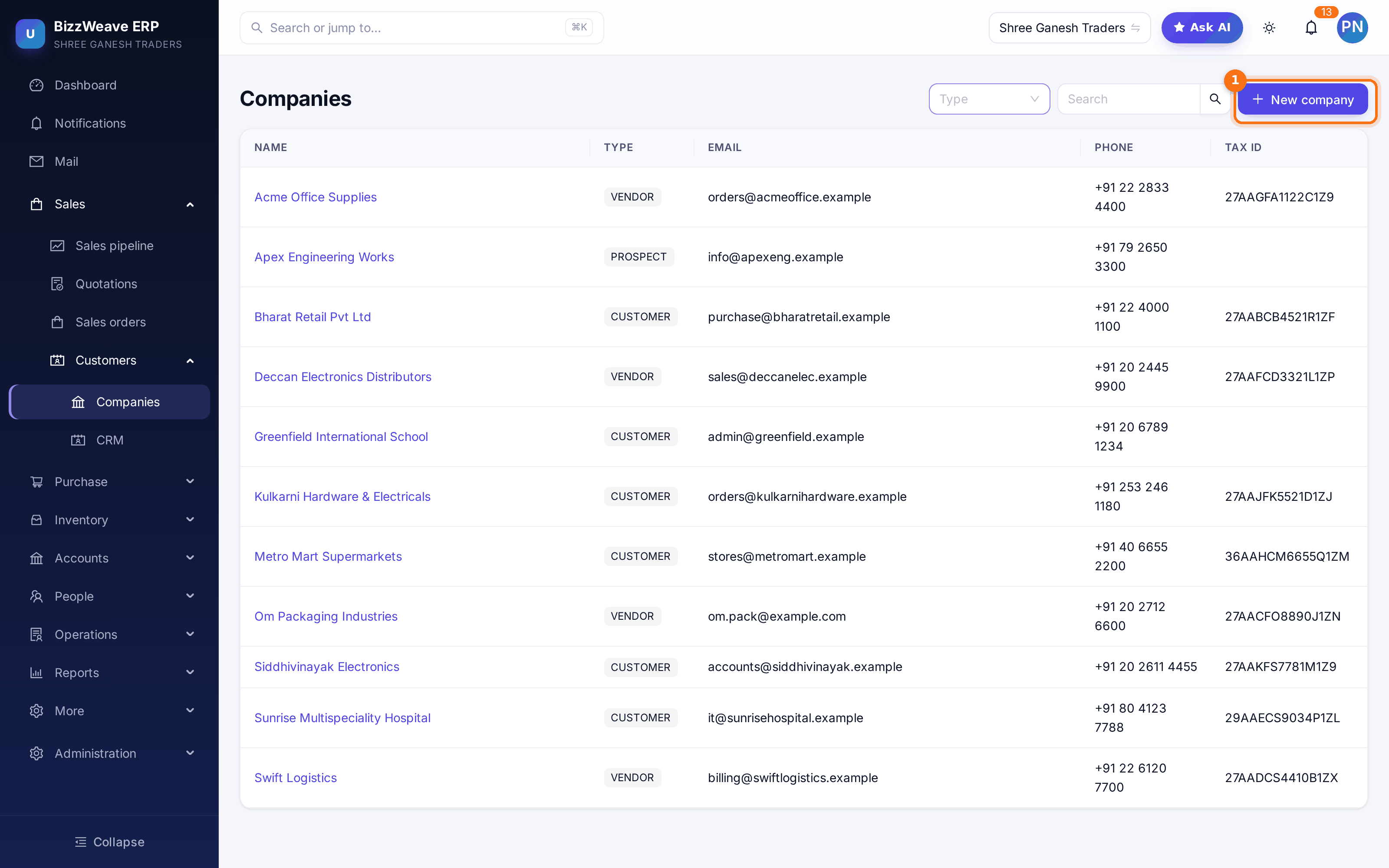
| Type | Use it for |
|---|---|
| PROSPECT | A possible customer you are still talking to. |
| CUSTOMER | Someone who buys from you. |
| VENDOR | A supplier you buy from. |
| PARTNER | A business partner, for example a reseller. |
| OTHER | Anything else, such as a bank or a government office. |
Add a company
-
Click “New company”.

A new customer with a GSTIN. -
Fill in the details.
Field What to enter Example Name Required. The registered business name. Patil Electricals Type PROSPECT by default. Change it to CUSTOMER or VENDOR. CUSTOMER Industry The line of business. Electrical contractor Owner The colleague who looks after this company. Rahul Verma Email, Phone The company's main e-mail and phone. [email protected] Tax ID (e.g. GSTIN) The 15-character GSTIN. GST invoices copy it as the customer's GSTIN, and its first two digits set the place of supply. 27AAQFP7712M1ZD Website, Address, Notes Optional. The address prints on invoices; include the PIN code. 12 Shivaji Road, Pimpri, Pune 411018 -
Click “OK”.
Unregistered customers
Leave Tax ID empty for a customer without a GSTIN, such as a school or a consumer. Their invoices are reported as B2C sales in GST returns.
The company page
Click a company's name to open it. The top shows its details; click Edit to change them.

Log a call, note or follow-up
- On the Timeline tab, choose the type: NOTE, CALL, EMAIL, MEETING or FOLLOW-UP.
- Type a Subject and, optionally, Details. For a follow-up, also pick the Due date and time.
- Click “Add”. The entry appears with your name and the time. A follow-up shows due … (red when overdue) until you click Done.
Add a contact person
-
Click the Contacts tab, then Add contact.
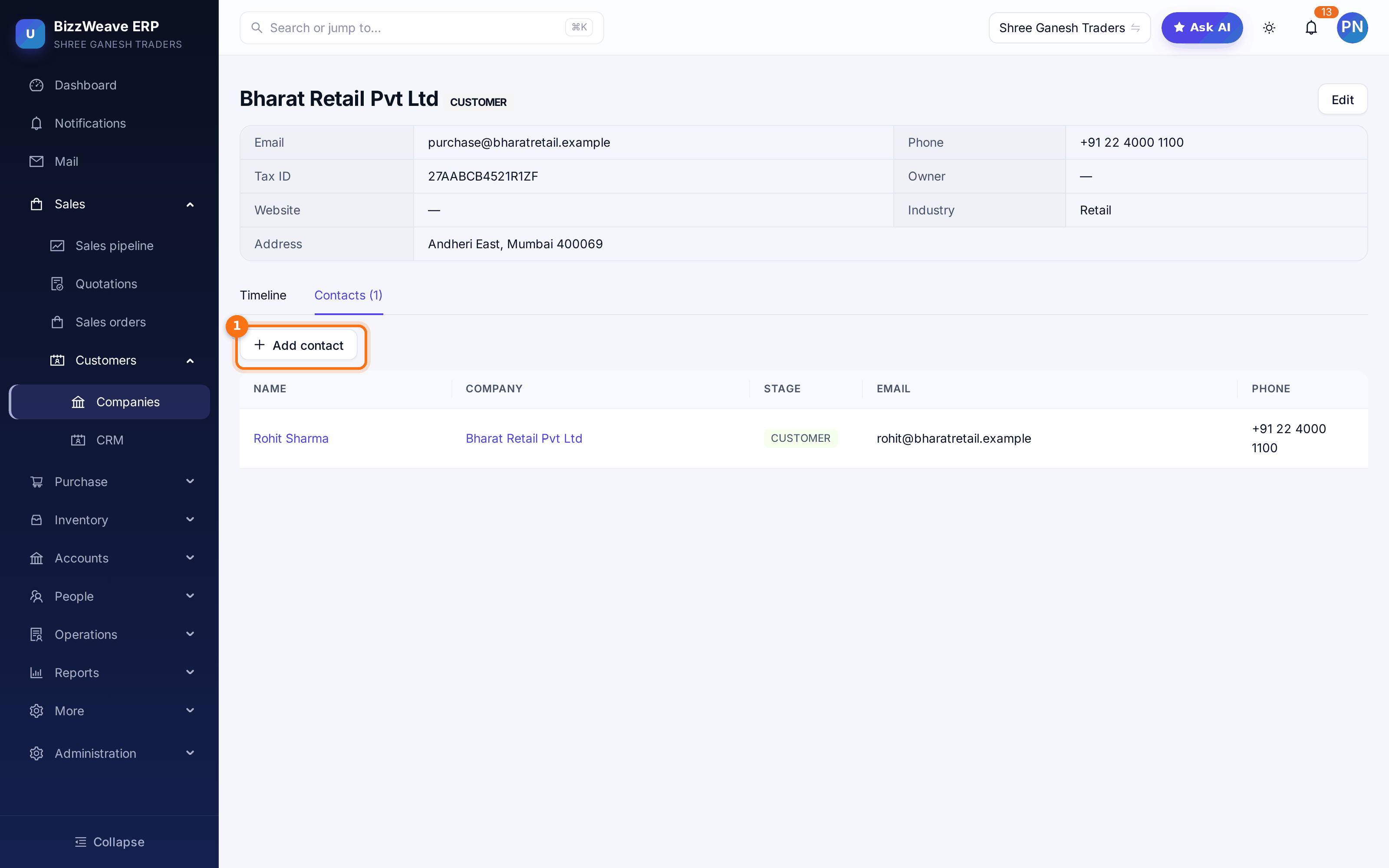
1 Add contact. -
Enter the First name (required), Last name, Email, Phone, Job title, Stage, Lead source and Owner. Click OK.
Contacts (CRM)
CRM lists every contact person, with their company and stage. Use it to follow up leads that don't have a company yet.

| Stage | Meaning |
|---|---|
| LEAD | A new name, not yet checked. |
| QUALIFIED | Interested, with a real need. |
| CUSTOMER | Buys from you. |
| INACTIVE | No longer active. |
| DISQUALIFIED | Not a fit. |
Click New contact to add one, and click a name to open the contact's own timeline.
Common questions
Is a company the same as a client in CA ERP?
No. CA ERP has its own client list under Clients. Companies are used by Business ERP and IT ERP for sales, purchases and invoices.
Can I delete a company?
There is no delete button. Change its type or add a note instead, so its invoices and orders stay linked.
I changed a company's name. Why do old invoices show the old name?
An issued invoice keeps the buyer's name and address as they were when it was issued, as GST requires. New documents use the new name.