The calendar
One calendar shows the dates from every app your organisation uses: project items, milestones and deliverables, CA compliance due dates and events. Use it to plan the month and spot clashes.
Before you start
- The calendar appears when your organisation uses Project Management or CA Firm ERP. Open it under My work → Calendar (Project Management) or Work → Calendar (CA ERP).
- You see only the items your role can see.
Read the calendar
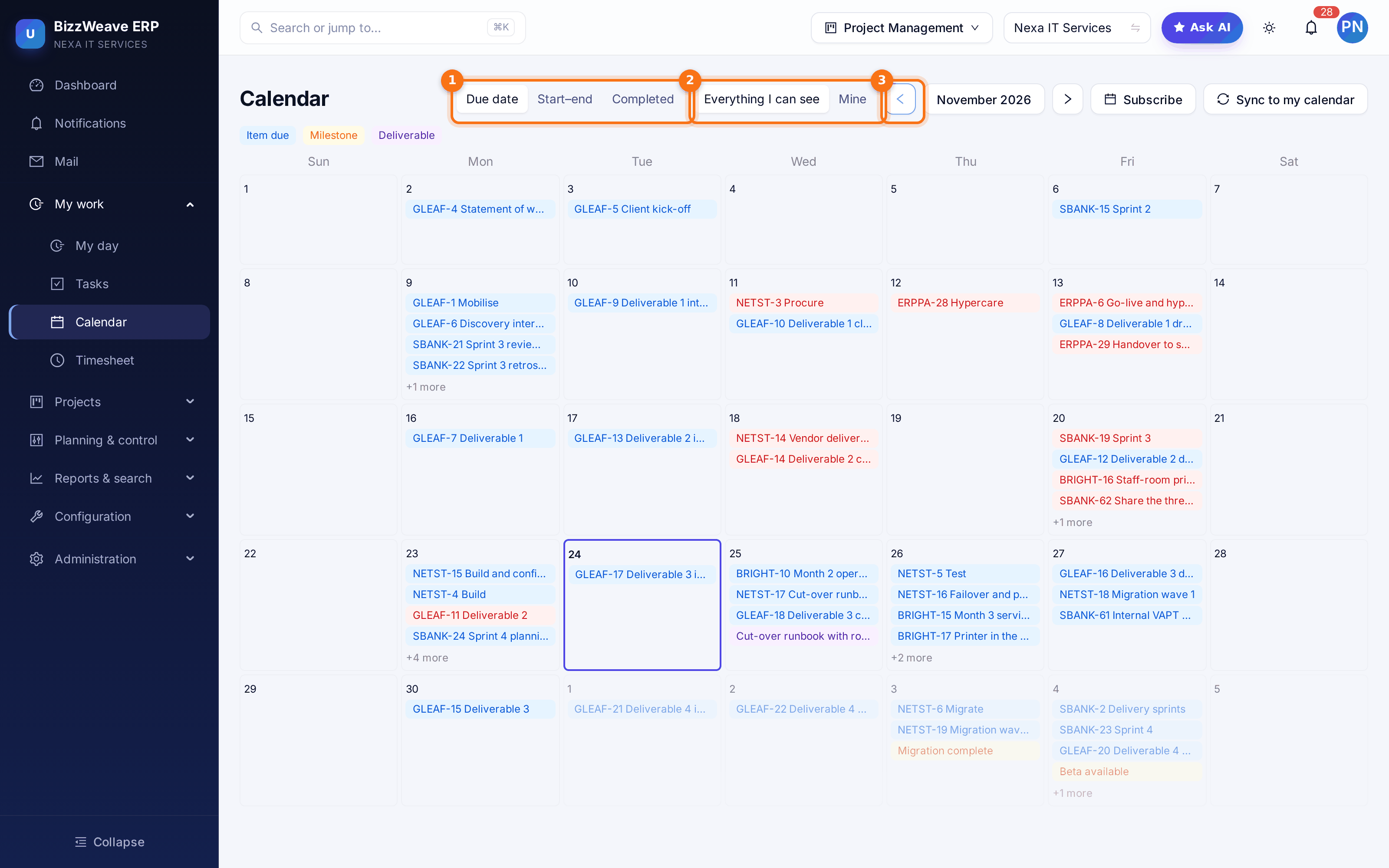
- Colours: the legend above the grid explains them, for example Item due (blue), Milestone (gold), Deliverable (purple), CA compliance due (cyan) and Event (magenta). Anything overdue is red.
- Today has a coloured border.
- A day shows up to four entries; +N more shows the rest when you point at it.
- Point at an entry to see its full title. Click it to open the task, compliance task or event.
Choose what to show
| Control | Options |
|---|---|
| 1 Date | Due date: each item on its due date. Start–end: on every day from start to end. Completed: on the day it was finished. |
| 2 Scope | Everything I can see, or Mine (only items assigned to you). |
| 3 Month | < and > move a month back or forward; click the month name to return to the current month. |
The category decides whose dates
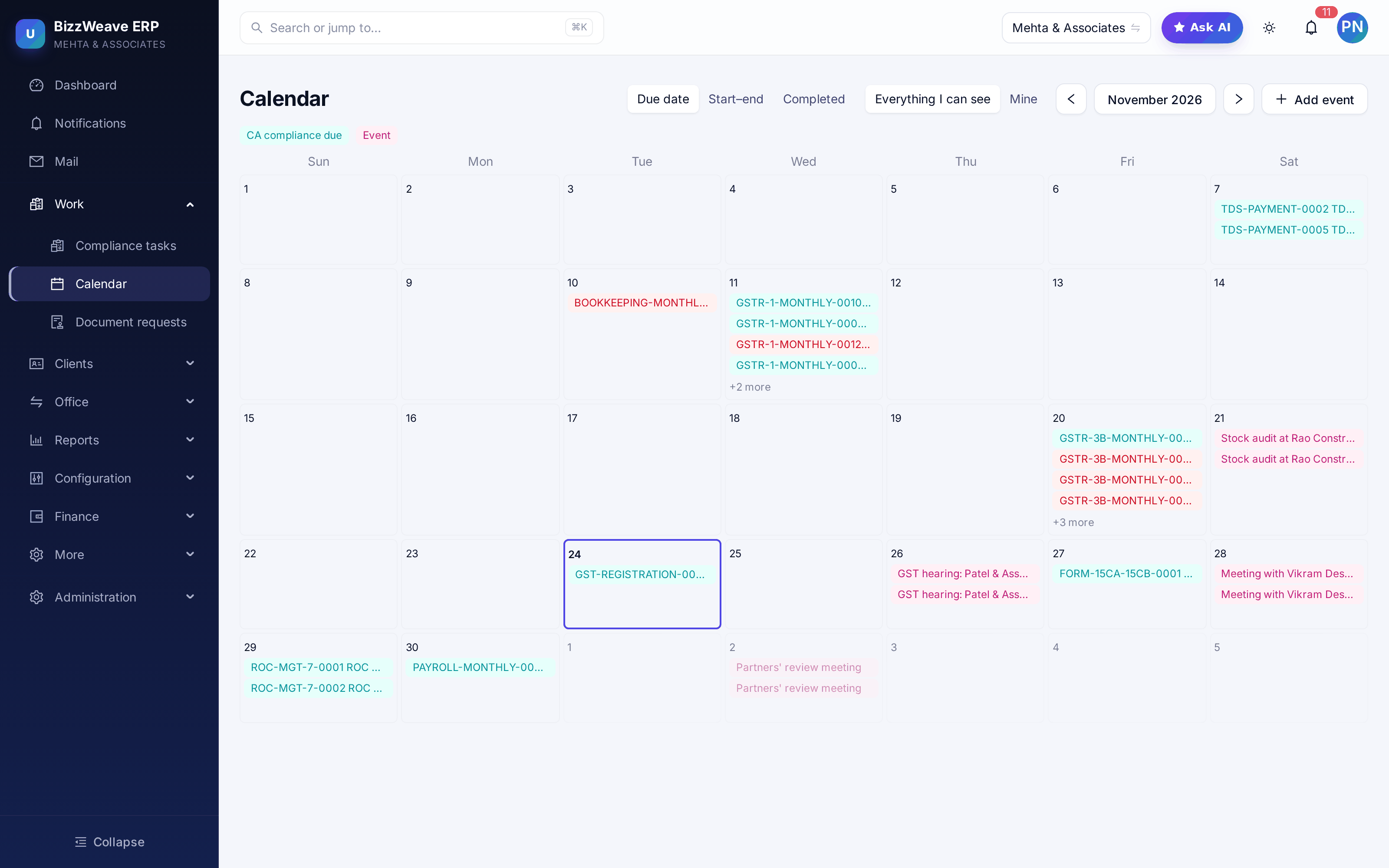
With Project Management chosen in the top bar, the calendar shows project dates. With CA ERP chosen, it shows CA compliance tasks and events. Other categories show everything.
Add an event (CA ERP)
In CA ERP, people who can work on compliance tasks see Add event. Use it for meetings, office closures or other dates that aren't tasks. See the CA Firm ERP guides.
See your dates in Google or Outlook (Project Management)
- Subscribe creates a private calendar link (ICS feed) that Google Calendar, Outlook or Apple Calendar can subscribe to. You can have up to five feeds and remove one at any time.
- Sync to my calendar connects your Google or Microsoft calendar so your project dates appear there.
Details are in the Project Management guides.