Financial reports
Profit and loss, balance sheet, trial balance and account ledgers, built from the journals the ERP posts for you. Share them with your accountant at month end or year end.
Before you start
- Where: Accounts → Accounting → Financial reports.
- Administrators and managers can see the reports. Locking the books needs administrator rights.
- These are management accounts. GST returns and TDS filings are not produced here.
Profit and loss
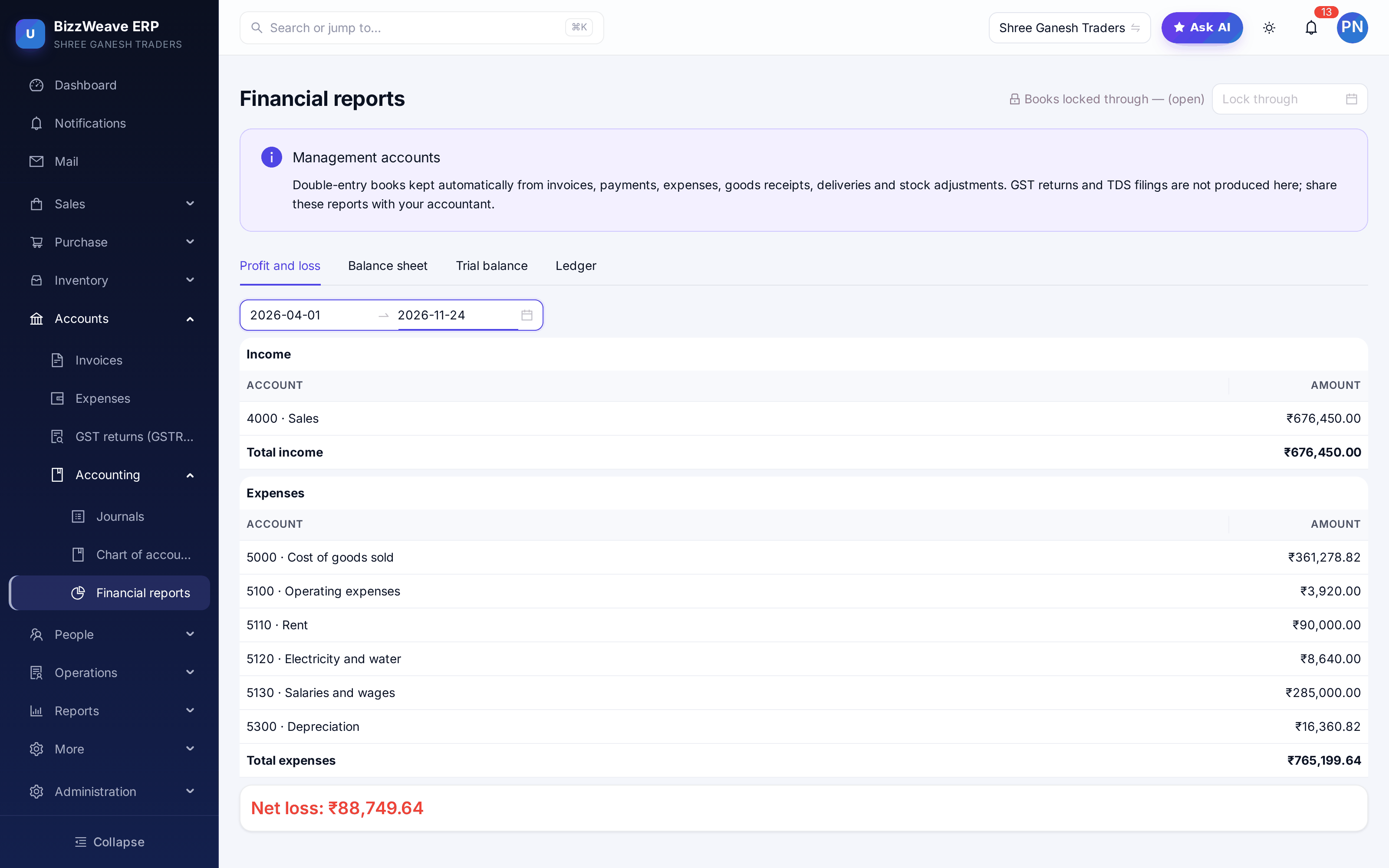
The Profit and loss tab shows income and expenses between two dates, and the net profit or loss.
- Choose the period with the date range. It starts at the first day of the current month; for the financial year so far, choose 1 April to today.
- Read the result: Income (sales, other income), Expenses (cost of goods sold, operating expenses, rent, salaries, depreciation) and the Net profit (green) or Net loss (red).
Balance sheet
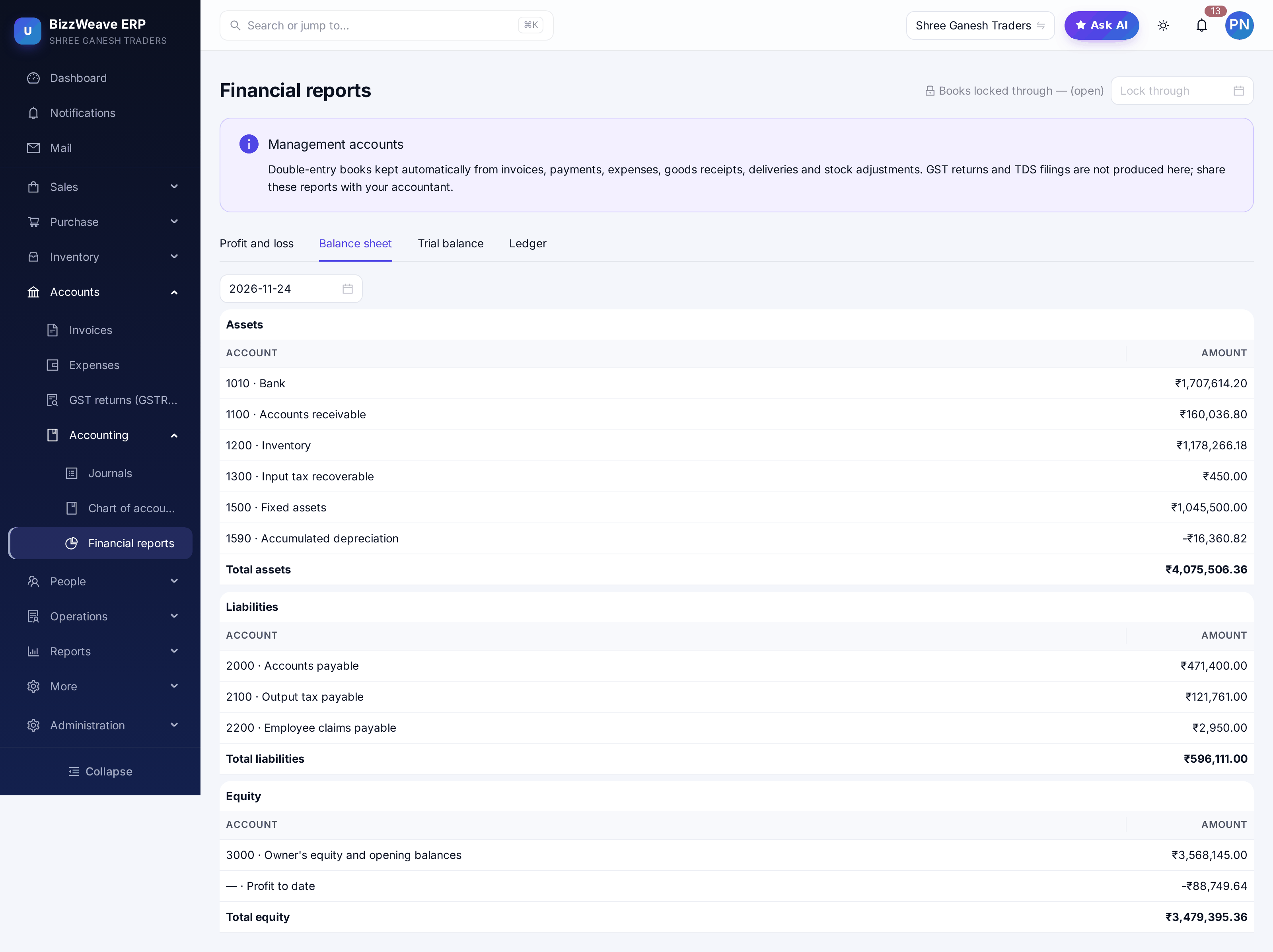
The Balance sheet tab shows what the business owns (assets), owes (liabilities) and the owner's equity on a date, including the profit to date. Choose the date with the date box.
Trial balance
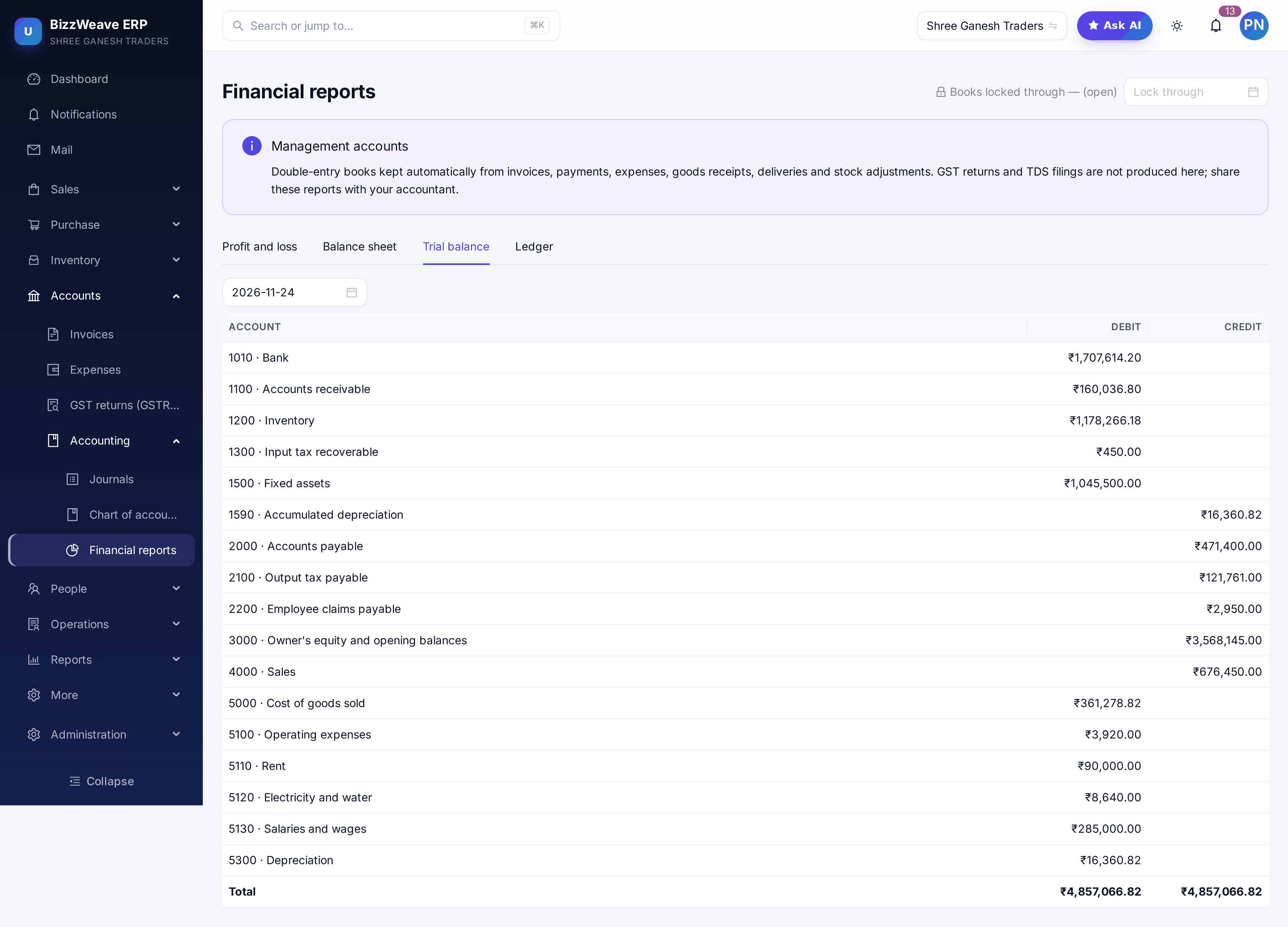
The Trial balance tab lists the debit or credit balance of every account on a date. The two totals at the bottom are always equal.
Ledger
The Ledger tab shows every entry in one account for a period, with the opening balance, the running balance and the closing balance.
- Choose an account, for example 1100 · Accounts receivable.
-
Choose the period.
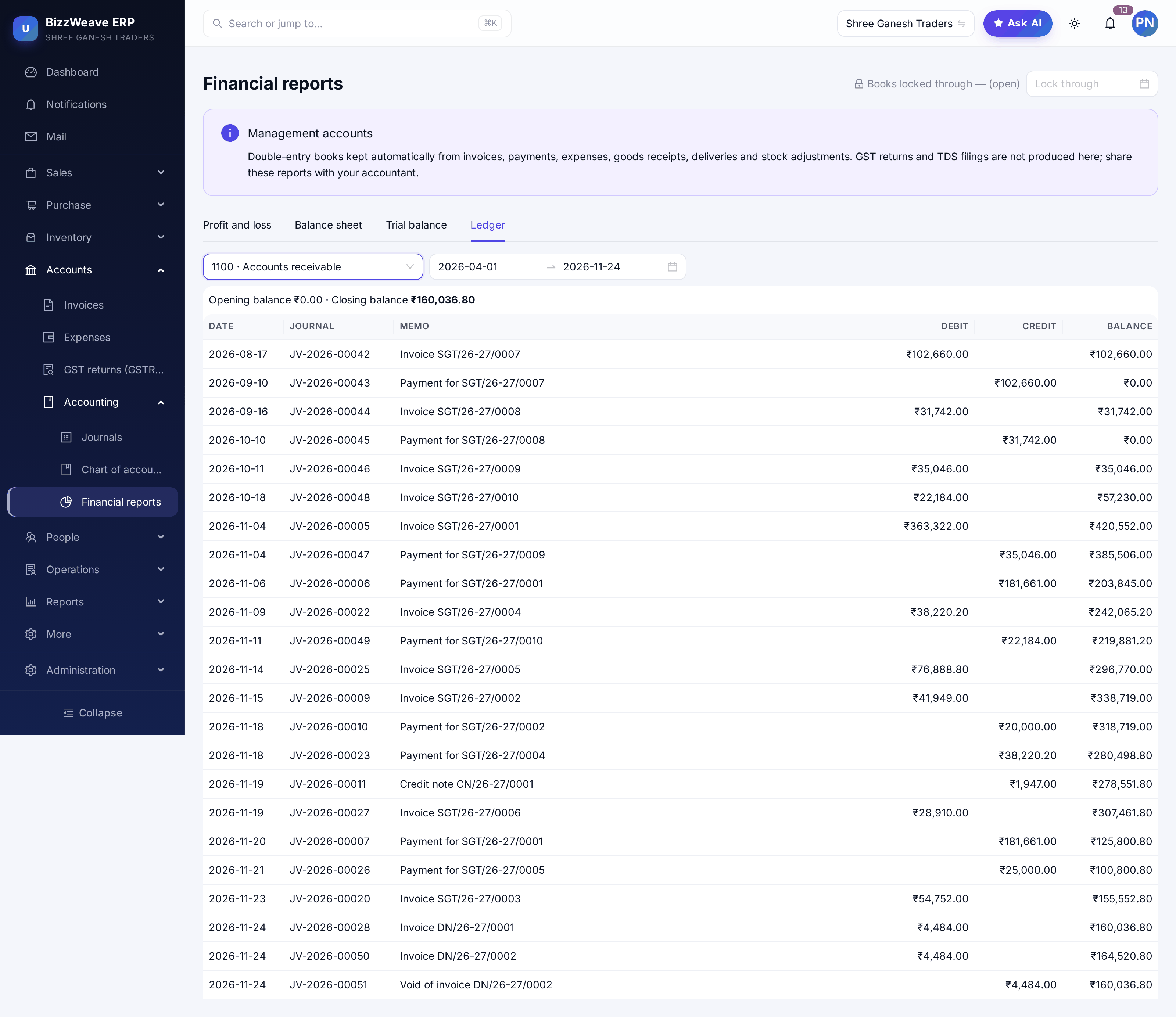
Invoices (debits) and payments (credits) in the receivables account.
Lock the books
When a period is final (for example after your accountant closes the year), an administrator can lock it so nobody posts into it by mistake.
- At the top right, click Lock through and pick the last date to lock, for example 31 March 2027.
- The page shows Books locked through that date. Nothing dated on or before it can be posted.
To unlock, clear the date.
Why is the net profit different from my sales minus purchases?
Purchases go into stock, not expenses. The cost reaches profit and loss only when goods are delivered (cost of goods sold), at their average cost.